We are the most popular brand for Giveaways, WordPress Plugins & WordPress Themes.
Request Themes & Plugins or Get New Updates
Can’t find your favorite WordPress item? Submit a request above, and we’ll add it to our repository!
Important: Extract Before Uploading
After downloading a file from our website, unzip it first. The main zip file may contain additional folders like templates, documentation, or other resources. Ensure you upload the correct file to avoid errors.
How to Install Plugins
How to Install Themes
Request Themes & Plugins or Get New Updates
Can’t find your favorite WordPress item? Submit a request, and we’ll add it to our repository!

Buy Latest Version & Future updates
$10.00
$2.99
Join Our Membership to Access All Products
Download this and 12000+ Plugins & Themes as a premium member for only $7.99.
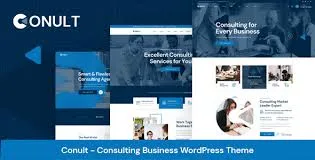
Choosing a high-quality foundation is the first step toward a successful digital presence. Consultation – Consulting Business WordPress Themes is a performance-optimized solution designed to bridge the gap between sophisticated aesthetics and technical reliability. It prioritizes clean code architecture, ensuring your website remains fast, secure, and fully scalable.
In the modern search landscape, speed is a critical ranking factor. Consultation – Consulting Business WordPress Themes is built to excel in Core Web Vitals, offering rapid load times and stable visual elements. This focus on performance reduces bounce rates and provides the seamless user experience that search engines like Google reward with higher organic visibility.
Beyond speed, adaptability is key. This theme offers a flexible structure that integrates effortlessly with standard WordPress functionality. Whether you are building a niche blog or a complex business portal, Consultation – Consulting Business WordPress Themes provides a professional-grade canvas that supports your growth without the technical debt associated with bloated, legacy themes.
This deployment guide provides the technical specifications and installation workflow required to launch Consultation – Consulting Business WordPress Themes efficiently. By following this expert-vetted roadmap, you ensure a stable transition and a fully optimized environment for your content and services.
| Requirement | Optimal Specification |
|---|---|
| PHP Version | Stable 8.x + |
| Memory Limit | 256MB (Recommended) |
| Database | MySQL 5.7+ / MariaDB 10.3+ |
| SSL Certificate | HTTPS Enabled |
The Consultation – Consulting Business WordPress Themes package is a GPL-licensed theme, providing you with the legal flexibility to study, modify, and deploy the software across your personal or professional projects.
Expert Tip: To maintain peak site speed, always optimize your images and utilize a caching solution immediately after activating your new theme.
Version: 1.3.0
The theme is designed for high flexibility. You can easily adjust layouts, headers, and footers through the native WordPress customizer or supported editors, allowing for a unique design without needing to modify the underlying code.
Yes. The theme is built with semantic markup, which helps search engines identify your content structure. This foundation supports JSON-LD schema, increasing your chances of winning rich results in search engine pages.
Absolutely. Under the GPL license, you have the freedom to install and use Consultation – Consulting Business WordPress Themes on as many domains as you need. There are no restrictive per-site activation keys required for core functionality.
No. Consultation – Consulting Business WordPress Themes is optimized for speed. It avoids the “feature bloat” found in many multipurpose themes, ensuring that your site stays lightweight and passes the necessary performance benchmarks.
Yes, keeping your theme updated ensures compatibility with new WordPress versions. You can manually update Consultation – Consulting Business WordPress Themes by re-uploading the latest ZIP file to your themes directory.
Geotoko is a trusted GPL website for WordPress themes, plugins, Shopify templates, and free giveaways. Download original, secure GPL files with lifetime updates.
All products on Geotoko are fully licensed under the GNU General Public License (GPL) and are independently reviewed for safety and quality.