We are the most popular brand for Giveaways, WordPress Plugins & WordPress Themes.
Request Themes & Plugins or Get New Updates
Can’t find your favorite WordPress item? Submit a request above, and we’ll add it to our repository!
Important: Extract Before Uploading
After downloading a file from our website, unzip it first. The main zip file may contain additional folders like templates, documentation, or other resources. Ensure you upload the correct file to avoid errors.
How to Install Plugins
How to Install Themes
Request Themes & Plugins or Get New Updates
Can’t find your favorite WordPress item? Submit a request, and we’ll add it to our repository!

Buy Latest Version & Future updates
$10.00
$2.99
Join Our Membership to Access All Products
Download this and 12000+ Plugins & Themes as a premium member for only $7.99.
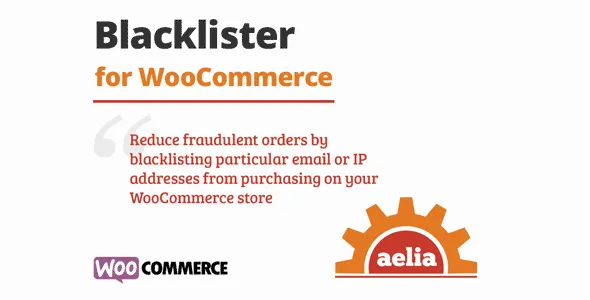
Aelia Blacklister for WooCommerce is a security and access-control plugin designed to help store owners restrict purchases based on specific criteria. While WooCommerce provides product management and checkout flows, it does not offer built-in mechanisms to block orders from specific customers, email domains, or countries. Aelia Blacklister addresses this gap by introducing a structured system to prevent transactions from unwanted users, enforce store policies, and protect revenue integrity.
This page explains how Aelia Blacklister works at a system level, what changes after activation, how it impacts WooCommerce behavior, and why access restriction has become a necessary tool for professional stores operating globally.
Unrestricted access can lead to operational and financial risks in many stores:
Aelia Blacklister provides a centralized way to enforce rules without disrupting legitimate buyers or complicating checkout flows.
After activation, store owners can define blacklists at multiple levels:
When a blacklisted entity attempts a purchase, the plugin intercepts the checkout process, displays a configurable warning, and prevents the order from being processed. This happens seamlessly without requiring theme customization or core WooCommerce edits.
The plugin hooks into WooCommerce’s checkout validation routines and user authentication events. Blacklisting rules are stored in the database and queried in real time during checkout attempts.
Because the plugin operates as a logic layer above WooCommerce’s normal order processing, it does not alter core data or product structures. Orders from blocked users are prevented before payment initiation, reducing chargebacks, disputes, and administrative workload.
Aelia Blacklister is most effective in stores where risk management, compliance, or business policies require controlled access:
In these scenarios, the plugin not only reduces operational risk but also supports compliance with legal or contractual requirements.
Aelia Blacklister does not replace fraud detection plugins or payment gateway security. It is a preventive access layer, not a full anti-fraud system.
Rules must be maintained actively to avoid blocking legitimate buyers accidentally. For stores with frequent IP or domain changes among customers, dynamic monitoring may be required to minimize false positives.
The plugin functions as a policy enforcement layer. Updates typically focus on WooCommerce compatibility, rule logic improvements, and performance optimizations.
Over time, maintaining blacklists can become part of operational processes. Reports and logs are useful to audit blocked transactions and ensure rules align with evolving business policies.
This plugin is ideal for stores needing explicit control over who can complete purchases. It is particularly valuable for B2B suppliers, high-risk digital goods, and globally shipping stores with compliance obligations.
For stores operating purely locally with minimal risk, blacklisting may be optional.
Yes, you can define country-level restrictions that prevent checkout from selected regions.
Yes, wildcard patterns and domain-level blocks are supported for flexible control.
Yes, blacklisting rules apply to both registered and guest users.
Yes, exceptions can be configured to allow specific customers even if general rules match.
No, the plugin is designed to integrate with WooCommerce hooks and remains compatible with core updates.
Yes, blacklisting only restricts purchase completion; product visibility is unaffected.
Recent updates typically include:
Before downloading Aelia Blacklister, evaluate your store’s risk profile and operational requirements. If preventing unauthorized purchases, high-risk orders, or restricted region sales is critical, this plugin provides a reliable and scalable way to enforce rules without modifying WooCommerce core templates or checkout workflows.
Geotoko is a trusted GPL website for WordPress themes, plugins, Shopify templates, and free giveaways. Download original, secure GPL files with lifetime updates.
All products on Geotoko are fully licensed under the GNU General Public License (GPL) and are independently reviewed for safety and quality.