We are the most popular brand for Giveaways, WordPress Plugins & WordPress Themes.
Request Themes & Plugins or Get New Updates
Can’t find your favorite WordPress item? Submit a request above, and we’ll add it to our repository!
Important: Extract Before Uploading
After downloading a file from our website, unzip it first. The main zip file may contain additional folders like templates, documentation, or other resources. Ensure you upload the correct file to avoid errors.
How to Install Plugins
How to Install Themes
Request Themes & Plugins or Get New Updates
Can’t find your favorite WordPress item? Submit a request, and we’ll add it to our repository!

Buy Latest Version & Future updates
$10.00
$2.99
Join Our Membership to Access All Products
Download this and 12000+ Plugins & Themes as a premium member for only $7.99.
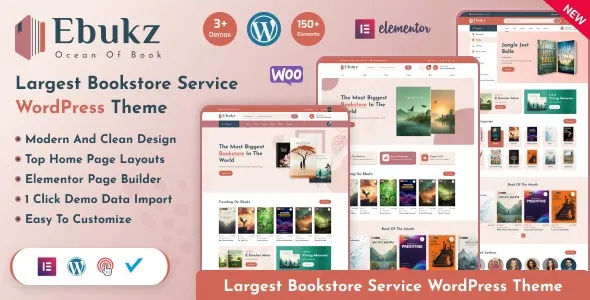
Most “digital product” themes look fine in a demo and then fall apart the moment you try to run a real catalog. You add 200 books, your category pages become repetitive, filters stop making sense, and your product pages don’t answer the questions readers actually have. Ebukz – eBook & eReading Shop WordPress Theme is built for that specific problem: presenting eBooks and reading-related products in a way that feels like a bookstore, not a generic checkout page.
When we tested Ebukz on a live WooCommerce setup, the biggest win was the structure it nudges you into. You end up with cleaner product page sections, more predictable browsing patterns, and fewer “where do I click next?” moments for customers. It is not magic. You still need to configure WooCommerce properly. But the theme gives you a solid front-end foundation for an eReading shop.
Ebukz is best when you want a catalog-led shopping experience. Think browsing by genre, author, series, format, or “new releases,” with product pages that support book-style metadata. If you are selling eBooks, audiobooks, or reading accessories alongside digital downloads, it tends to fit naturally.
What it does not do by itself is replace your digital delivery system. You still rely on WooCommerce digital product settings and whatever you use for file protection, download limits, and license keys (if you sell software-like products). I’ve seen store owners assume the theme handles secure file delivery. It doesn’t. It makes the store usable and presentable, then WooCommerce does the transactional work.
Once you pass a few dozen products, consistency becomes your biggest SEO and conversion lever. Ebukz helps by making it easier to keep layouts uniform across products. That matters because readers skim. They look for the same signals every time: format, length, compatibility, what’s included, and how downloads work.
On one build, we migrated a mixed catalog from a multipurpose theme. The old setup had three different product templates from past experiments. After switching to Ebukz and standardizing the product page blocks, support emails about “how do I download” dropped noticeably. That was not because of a new plugin. It was because the UI stopped surprising people.
The demo import can be helpful, but it also introduces clutter. You often get placeholder pages, sample products, and widget content that looks harmless until it creates thin pages or indexable junk. If you are trying to keep Google crawl focused, you want to remove or noindex anything that is not part of your real store.
We also ran into a common friction point: people import the demo, then start editing globally without realizing which settings are theme-level and which are WooCommerce-level. The result is mismatched typography, inconsistent button styles, and a header that looks right on desktop but collapses awkwardly on mobile. Plan a quick pass where you lock global styles first, then tune product templates.
If you want Ebukz to shine, treat your product data like a catalog, not a list of downloads. Create a repeatable schema for titles, series naming, author attribution, and edition labeling. Otherwise, you end up with near-duplicate product pages that compete with each other.
We typically standardize: author name format, series number formatting, and a short “what you get” block that is unique per title. That last part is key for duplicate-intent avoidance. If every product says “Download instantly after purchase,” you are not adding value. Add book-specific details and preview context.
A generic WooCommerce theme can sell eBooks, but it rarely prioritizes discovery. You get a grid, a search bar, and product pages that look like electronics listings. Ebukz leans into browsing, which is closer to how readers shop. That difference shows up in category page usability and how quickly customers can compare similar titles.
Where a generic theme sometimes wins is flexibility for unrelated product types. If your store is half books and half unrelated merchandise, Ebukz can still work, but you may spend more time making non-book products feel coherent. In those cases, we usually decide whether the store’s identity is “bookshop first” or “general store with some downloads.”
Theme choice affects performance indirectly. Ebukz can be fast, but only if you keep the page builder features and sliders under control. The most common slowdown we see is heavy homepage sections that load images, carousels, and scripts for content that users do not interact with.
For crawl prioritization, the bigger issue is how many indexable URLs your store generates. Variations, tags, and internal search pages can balloon. Ebukz will not stop that. You still need to be intentional with WooCommerce settings and your SEO plugin configuration so Google spends time on your product pages and key categories, not on thin tag archives.
If you are planning thousands of titles, pay attention to category structure early. Genre taxonomy that is too granular creates dozens of near-empty pages that get crawled and ignored. We’ve had better results with fewer, stronger categories and curated collections that are actually worth indexing.
If you are looking for Ebukz – eBook & eReading Shop WordPress Theme download, treat it like any production theme deployment. Most “theme problems” are really version mismatch or overwritten customizations.
1) Back up first. Create a full backup of files and database. If you already have a store, also export WooCommerce settings and take note of active plugins.
2) Use a staging site. Install Ebukz on staging before touching production. We test checkout, account pages, and at least one full purchase flow.
3) Upload the theme zip. In WordPress, go to Appearance > Themes > Add New > Upload Theme. Install and activate.
4) Install required plugins carefully. If Ebukz prompts for companion plugins, install them one at a time. After each activation, refresh the front end to catch conflicts early.
5) Import demo content only if you need it. If you import, delete sample products and pages immediately after. Keep only the template structures you plan to use.
6) Re-check WooCommerce templates. Verify cart, checkout, and account pages render correctly. Then test a digital product purchase and confirm the download link behavior.
7) Lock in your customization method. Use a child theme for code changes. For CSS tweaks, document them so theme updates do not erase your work.
Yes, in the sense that it is a WooCommerce theme and works with WooCommerce digital products. The download delivery rules still come from WooCommerce settings and your product configuration.
Theme changes do not usually change URLs. Problems happen if you also change permalink settings or rebuild category structures during the switch. We keep permalinks untouched until after the theme is stable.
It can be, but bundles depend on how you sell them. If you use grouped products or a bundling extension, test the product page layout on mobile. Some bundle layouts get long and need clearer “what’s included” formatting.
Demos often rely on specific widgets, page builder templates, and image sizes. If you skip demo import, you will not get the same layout automatically. Also check WooCommerce image settings and regenerate thumbnails.
Overloading the homepage with sliders and “featured” blocks, then neglecting category pages. For bookstores, category pages and on-site search usually drive more discovery than a highly designed homepage.
It depends on how the theme’s templates are built. In practice, most stores end up using at least some builder components. If you want a minimal setup, decide early and avoid importing builder-heavy demo layouts.
Use a consistent structure, but vary the substance. Include a short synopsis, who it’s for, reading level or theme, and a specific preview detail. Avoid repeating the same “instant download” paragraph across every title.
Test checkout, account login, product gallery behavior, and one complete purchase-to-download flow. We also spot-check mobile header navigation because that is where theme updates sometimes introduce layout regressions.
Geotoko is a trusted GPL website for WordPress themes, plugins, Shopify templates, and free giveaways. Download original, secure GPL files with lifetime updates.
All products on Geotoko are fully licensed under the GNU General Public License (GPL) and are independently reviewed for safety and quality.