We are the most popular brand for Giveaways, WordPress Plugins & WordPress Themes.
Request Themes & Plugins or Get New Updates
Can’t find your favorite WordPress item? Submit a request above, and we’ll add it to our repository!
Important: Extract Before Uploading
After downloading a file from our website, unzip it first. The main zip file may contain additional folders like templates, documentation, or other resources. Ensure you upload the correct file to avoid errors.
How to Install Plugins
How to Install Themes
Request Themes & Plugins or Get New Updates
Can’t find your favorite WordPress item? Submit a request, and we’ll add it to our repository!

Buy Latest Version & Future updates
$15.00
$4.99
Join Our Membership to Access All Products
Download this and 12000+ Plugins & Themes as a premium member for only $7.99.
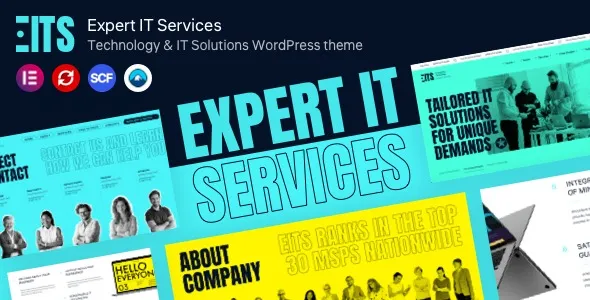
EITS – Technology & IT Solutions WordPress theme is built for a very specific kind of website. You are not selling a single product. You are selling trust, process, and the ability to deliver. Most generic business themes can “look modern,” but they fall apart when you try to present multiple service lines, case studies, team credibility, and conversion paths without turning your navigation into a maze.
I have used EITS on a couple of IT consultancy builds where the client kept changing the service taxonomy mid-project. The theme held up better than most because the layout patterns are consistent. You can reshuffle sections without the whole site feeling stitched together.
The real value of EITS is structure. It gives you ready-made page patterns for IT services, solutions, and agency-style credibility pages, so you spend less time inventing layout decisions and more time writing content that ranks.
What it does not do is magically create a lead generation strategy. You still need a clear information architecture, service pages that match search intent, and internal links that guide both users and crawlers. We have seen teams install the theme and then leave the demo copy in place, which creates thin, duplicate-ish pages that Google ignores.
If you treat EITS as a framework for publishing, not as a finished website, it becomes much easier to build an index-worthy site that scales beyond a five-page brochure.
The first time I deployed EITS, the biggest time sink was not installation. It was deciding what to keep from the demo import. Demo content is helpful for layout, but it can quietly introduce bloat: extra pages, placeholder posts, and image-heavy sections that slow down your first meaningful paint.
Another common snag is typography and spacing. EITS has a polished look, but if you start stacking too many “feature” sections on a single page, your service pages can become long and repetitive. That hurts both user scanning and crawl prioritization because Google often downweights pages that feel like variations of the same template.
My rule now: pick two or three section patterns that match your service offering and reuse them intentionally, while keeping the copy, headings, and internal links unique per page.
If you are building an IT solutions site that needs to rank, the theme is only half the work. The other half is creating a predictable content model that avoids duplicate intent.
Here is a workflow that has worked well with EITS:
1) One core “Solutions” hub page. Use it as a directory, not a sales page. Link out to each solution with a short summary and a clear “who it’s for.” This helps indexing because it creates a crawl-friendly node that distributes internal link equity.
2) Separate service pages by intent, not by department. “Managed IT Services” and “IT Support” often cannibalize each other. If you publish both, make sure one targets ongoing management and the other targets break-fix or helpdesk response. EITS makes it easy to build pages that look similar, so you have to work harder to make the intent different.
3) Case studies as your E-E-A-T engine. Add a short “What we changed” and “What improved” section. I have seen these pages index faster than generic service pages because they contain specifics, not claims.
4) Team and process pages that answer procurement questions. Procurement and technical buyers look for evidence. Use the theme’s layout patterns to show onboarding steps, SLAs, tools you support, and escalation paths. Even a simple “How incidents are handled” page can earn long-tail traffic.
Theme choice can indirectly affect indexing. EITS tends to encourage a clean hierarchy with service blocks, solution blocks, and clear calls to action. That is good for internal linking, but only if you keep the site map intentional.
What we do on launches:
Keep top navigation shallow. Important pages should be reachable in 1–2 clicks. If you add every service to the menu, you dilute importance and slow discovery.
Use consistent breadcrumbs and category hubs. If you publish many service pages, add hub pages that summarize and link out. This reduces orphan pages and helps Google understand topical clusters.
Limit near-duplicate “solutions” pages. EITS layouts make it tempting to create ten pages that differ only by a few nouns. If two pages answer the same query, merge them or differentiate them with distinct sections, examples, and FAQs.
EITS is a strong fit for IT and technology branding, but it is still a theme. It will not replace good content strategy, and it will not fix a site that is structurally confusing.
Also, if you are extremely performance-sensitive, you should be careful with large hero sliders, background videos, and heavy icon libraries. The theme can look great while quietly increasing page weight. In our builds, we often remove one “nice-to-have” visual section per page and the site feels faster immediately.
Finally, if your business model is primarily eCommerce with hundreds of products, EITS can work, but it is not purpose-built for catalog navigation. You will likely need additional UX work for filtering, category structure, and product discovery.
If you are searching for EITS – Technology & IT Solutions WordPress theme download, treat the process like any production change. Themes touch templates, widgets, and sometimes custom post types. A sloppy install can create broken layouts or missing menus.
Clone your site to staging or use a temporary subdomain. If you install EITS on a live site with an existing theme, expect header, footer, and homepage sections to shift.
Do not skip this. Theme activation can trigger widget resets or template changes. A full backup is your fastest rollback plan.
In WordPress, go to Appearance, then Themes, then Add New, then Upload Theme. Upload the theme ZIP, install, and activate.
After activation, you will usually be prompted to install companion plugins. Install only what you need. If a plugin is purely for demo sliders or animations you will not use, leave it out to reduce overhead.
If you import the demo, do it on staging first. Then delete unused pages, posts, and media. Keep the layout patterns, replace the copy, and rebuild your navigation intentionally.
Create your service pages, solutions hub, about pages, and case studies. Use the theme blocks as scaffolding, but write headings and sections that match real queries. This is where indexing wins happen.
Check mobile spacing, menu behavior, and page weight. Confirm that important pages are linked from hubs and not buried. If you use an SEO plugin, verify canonical tags and XML sitemap output.
Yes, as long as you build service pages around distinct buyer intents. MSP sites often create overlapping pages like “IT Support,” “Helpdesk,” and “Managed Services.” With EITS, the pages can look too similar, so the differentiation needs to come from content structure, proof points, and scoped deliverables.
It can work well for cybersecurity, especially if you use case studies and process pages. The key is to avoid vague “we provide security” sections and instead publish specific service pages like incident response, security assessments, or managed detection, each with its own FAQ and examples.
No. Demo import is helpful if you want to see the intended layout system quickly, but you can build from scratch. On production sites, we often avoid full demo imports to keep the media library clean and reduce cleanup time.
Theme activation changes templates, widget areas, and sometimes how headers and footers are rendered. If your previous theme used different page builders or shortcodes, some content may not translate cleanly. Test on staging, then rebuild the most important templates first.
Give each page a clear primary intent, a unique page outline, and unique internal links. Add proof elements that differ per service, such as tools used, onboarding steps, deliverables, and real examples. If two pages target the same query, consolidate them into one stronger page and use a hub page for navigation.
Yes, but plan your URL structure early. Multilingual sites can create duplicate-intent issues if translated pages are thin or if the language switcher generates duplicate URLs. Keep translated pages as complete as the primary language and ensure internal links point to the correct language versions.
Geotoko is a trusted GPL website for WordPress themes, plugins, Shopify templates, and free giveaways. Download original, secure GPL files with lifetime updates.
All products on Geotoko are fully licensed under the GNU General Public License (GPL) and are independently reviewed for safety and quality.