We are the most popular brand for Giveaways, WordPress Plugins & WordPress Themes.
Request Themes & Plugins or Get New Updates
Can’t find your favorite WordPress item? Submit a request above, and we’ll add it to our repository!
Important: Extract Before Uploading
After downloading a file from our website, unzip it first. The main zip file may contain additional folders like templates, documentation, or other resources. Ensure you upload the correct file to avoid errors.
How to Install Plugins
How to Install Themes
Request Themes & Plugins or Get New Updates
Can’t find your favorite WordPress item? Submit a request, and we’ll add it to our repository!

Buy Latest Version & Future updates
$10.00
$2.99
Join Our Membership to Access All Products
Download this and 12000+ Plugins & Themes as a premium member for only $7.99.
Most creative portfolio themes look great in a demo and then fall apart the moment you try to adapt them to a real agency workflow. You add a second service category, swap typography, change the home layout, and suddenly spacing becomes inconsistent or the mobile header behaves differently on every page.
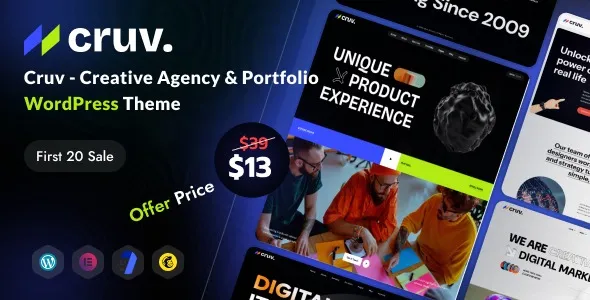
Cruv Creative Agency & Portfolio WordPress Theme is built for the kind of sites where presentation matters but the team still needs to publish reliably. When I tested it on a live build, the biggest win was how quickly you can get to a cohesive visual system without hand-editing ten templates. You can keep the “studio” feel while still running it like a maintainable WordPress site.
Cruv is best when you need a polished agency site with clear sections for work, services, and team, plus a portfolio that can be filtered and presented in different layouts. It supports the typical creative stack: landing-style homepages, case study pages, and contact pages that do not look like a blog template with a form pasted in.
Where people overestimate it is in e-commerce and complex content modeling. You can add WooCommerce if your setup supports it, but Cruv is not a store-first theme. If your “portfolio” is actually a catalog with variants, shipping rules, and layered navigation, you will spend more time bending the theme than you should.
Think of Cruv as a front-end system for a studio narrative. It helps you present work and convert inquiries. It does not replace a CRM, a booking system, or a custom project database.
When we deploy a creative theme, the real risk is not the first publish. It is month three, when someone edits a page, duplicates a layout, and the design slowly drifts. With Cruv, I treat it like a small design system.
Set global fonts, base sizes, and primary colors first. If you import demo content and then change typography later, you often end up chasing line-height and button sizing across multiple templates.
For agencies, two patterns usually cover most needs: a “service” page pattern and a “case study” pattern. Once those are right, everything else becomes a variation. Cruv makes this easier because it is geared toward repeatable sections rather than blog-first layouts.
Portfolio themes can look broken simply because images are inconsistent. I recommend standardizing featured image ratios for projects and using a consistent compression workflow. Cruv’s layouts reward clean media more than they reward clever animation.
I have seen two recurring issues when teams “just start editing” without a plan.
People nudge padding per section to make one page look right. Then they do it again on another page. After a few weeks, you are making dozens of micro-decisions. With Cruv, it is better to adjust global spacing rules and reuse sections rather than tuning each block individually.
If you load one font globally and then add another font in a page builder widget, you can get flashes of unstyled text and uneven weights on mobile. Pick a primary font stack and keep it consistent across headings and body text.
Cruv’s header styles work best with a tight menu. When you add too many top-level items, the mobile experience becomes cramped. If you need a large information architecture, consider using a simplified top nav with a clear “Work” and “Contact” path, then route deeper content through internal pages.
A multipurpose theme can do almost anything, but you pay for that flexibility in setup time and ongoing consistency. You end up assembling a portfolio experience from parts that were not designed to work together.
Cruv is narrower in scope, and that is the point. The portfolio and agency presentation are already considered. In practice, this reduces the number of decisions you have to make and the number of places a future editor can accidentally break the design.
If your team is used to building everything from scratch in a page builder, Cruv will feel opinionated. If you want a site that looks intentional without a long design phase, it is a better starting point than a blank canvas.
Install Cruv on staging first, even if the site is small. This is where you confirm PHP version compatibility, plugin conflicts, and whether the demo import behaves as expected.
In WordPress, go to Appearance > Themes, upload the Cruv theme .zip, then activate it. If there is a companion child theme included, install it as well and activate the child theme before you begin customization.
After activation, Cruv will typically prompt you to install companion plugins used for page layouts, widgets, or portfolio features. Install only what you need. Extra plugins increase update surface area.
If you use the demo importer, import one homepage and one portfolio set first. Confirm that menus, permalinks, and media are correct before importing everything. I have seen full imports create clutter that later gets indexed or accidentally published.
Set your permalink structure early. Then configure your homepage and blog page assignments. This prevents URL churn later, which matters for indexing and clean internal linking.
Check the header, a portfolio listing, a single project page, and a contact page on mobile. Fix global typography and spacing now, before content is added in bulk.
Only enable aggressive caching and minification after you confirm the front end is correct. If you turn on optimization too early, you can misdiagnose layout issues that are actually caching artifacts.
If you are looking for Cruv Creative Agency & Portfolio WordPress Theme download options, prioritize a source that provides the complete package and versioned updates, then validate the files on staging before deploying to production.
Cruv feels fast to build with when you have 6–12 projects and a few service pages. The maintenance story changes when you grow to 50+ case studies, multiple contributors, and frequent edits.
At that point, your biggest lever is content structure. Use consistent fields and patterns for case studies. Keep introductions, outcomes, and galleries in predictable places. A theme like Cruv can present the work beautifully, but it cannot prevent inconsistent authoring unless you define rules.
Also, watch the media weight. Portfolio sites scale in page size faster than teams expect. A few uncompressed hero images can make the whole site feel slow, even with caching.
Yes, it is suitable for case study pages with structured sections like overview, challenge, process, and results. The key is to pick one case study layout and reuse it so the site stays consistent.
If you plan to add custom CSS, template tweaks, or functions, use a child theme. It reduces the risk of losing changes during theme updates.
The most common causes are missing companion plugins, different global typography settings, and media not matching the demo’s aspect ratios. Check plugin prompts first, then verify global style settings before editing individual sections.
It can, but be careful with very long pages that include multiple heavy galleries. A one-page build often becomes slow on mobile unless images are optimized and sections are kept lean.
Create reusable section patterns and limit per-page custom styling. I also recommend documenting your approved fonts, button styles, and spacing rules so editors do not improvise.
It can work, but plan for longer text strings and test headings and buttons in the longest language early. Portfolio themes can break visually when translations expand line length.
Update on staging first, then verify the header, portfolio listings, and any custom templates. Also, clear caches after the update. If you have custom CSS targeting theme classes, recheck those selectors because small markup changes can have visible effects.
They over-customize individual pages instead of setting global styles, and they import too much demo content. Keeping the build disciplined is what makes Cruv feel “easy” over the long run.
Geotoko is a trusted GPL website for WordPress themes, plugins, Shopify templates, and free giveaways. Download original, secure GPL files with lifetime updates.
All products on Geotoko are fully licensed under the GNU General Public License (GPL) and are independently reviewed for safety and quality.