We are the most popular brand for Giveaways, WordPress Plugins & WordPress Themes.
Request Themes & Plugins or Get New Updates
Can’t find your favorite WordPress item? Submit a request above, and we’ll add it to our repository!
Important: Extract Before Uploading
After downloading a file from our website, unzip it first. The main zip file may contain additional folders like templates, documentation, or other resources. Ensure you upload the correct file to avoid errors.
How to Install Plugins
How to Install Themes
Request Themes & Plugins or Get New Updates
Can’t find your favorite WordPress item? Submit a request, and we’ll add it to our repository!

Buy Latest Version & Future updates
$10.00
$2.99
Join Our Membership to Access All Products
Download this and 12000+ Plugins & Themes as a premium member for only $7.99.
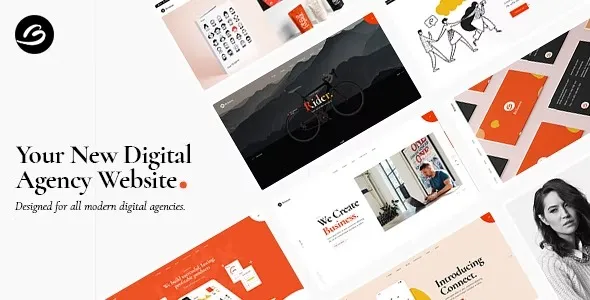
Looking for a way to speed up your website creation? Check out the Borgholm Marketing Agency Theme, designed specifically for agencies that are always in need of “just one more landing page.” If you’re juggling case studies, service pages, lead forms, and a portfolio that evolves every few months, this theme is a game-changer. It helps you maintain a consistent visual style without the hassle of starting from scratch every time.
I’ve used Borgholm on a live WordPress site, and let me tell you, the biggest challenge wasn’t the design itself. It was all about streamlining the workflow: getting new pages up quickly while ensuring that typography, spacing, and conversion elements stayed consistent. Borgholm shines when your main hurdle is creating a repeatable structure, rather than a shortage of creative ideas.
At its core, the Borgholm Marketing Agency Theme provides a collection of pre-styled components and page layouts that give your agency’s content a polished, intentional feel. You’ll enjoy a consistent design language across hero sections, service blocks, testimonials, and contact areas, ensuring that your site looks unified, even with multiple contributors.
However, it’s important to note that some teams might overestimate its capabilities by thinking the theme will handle marketing for them. It won’t solve issues like weak messaging, poor offers, or vague calls to action. Plus, it doesn’t replace the need for analytics, A/B testing, or a CRM. What it does do is eliminate many of the layout decisions that can slow down the publishing process.
If you’re aiming to create something unique, like an interactive product demo, you might find Borgholm a bit limiting. It’s a trade-off: you can assemble pages faster, but you might sacrifice some creative freedom.
When it comes to everyday agency publishing, Borgholm really saves time. Most agency websites require a lot of upkeep. New clients mean new case studies, and each new case study brings a fresh pattern: problem, approach, results, testimonial, gallery, and a call to action. With Borgholm, you can standardize that structure and stop reinventing the wheel every time.
The most frequent issue I see with agency themes is stacking too many styling systems: theme options, a page builder, and an extra “global styles” plugin. The result is hard-to-debug typography and button styles that change across templates.
With Borgholm, pick one source of truth for global styling early. If the theme provides typography and color controls, use those first. If you rely on a builder’s global styles, keep the theme settings minimal so you are not fighting overrides.
Another common mistake is importing demo content and keeping everything. Demo pages often include heavy media, unused templates, and blocks you do not need. Import what you need, then delete the rest. It reduces clutter and prevents editors from copying outdated sections later.
Finally, watch image sizes. Agency themes often lean on large hero imagery. If you upload huge PNGs and rely on WordPress to “handle it,” you will feel it in LCP. Convert hero assets to modern formats, and keep a consistent image ratio so sections do not jump during load.
You can build an agency site with a default WordPress theme and the block editor. The trade-off is time and cohesion. You will spend more effort creating reusable patterns, tuning spacing, and making sure pages look consistent across authors.
Borgholm Marketing Agency Theme is a shortcut to that cohesion. It is not magic, but it reduces the number of decisions per page. If your team already has a mature block pattern library and a strict design system, the gap narrows. If you do not, Borgholm is usually the faster route.
In practice, I recommend Borgholm when the site needs to look polished quickly and you do not want to invest weeks in design system setup. If you are building a long-term content machine with dozens of custom content types and editorial workflows, you may still use it, but you should plan your templates and pattern governance carefully.
Update WordPress and confirm your PHP version meets modern theme expectations. Take a full backup. If this is a production site, stage it first. Theme changes can affect header structure, widgets, menus, and page layouts.
In WordPress, go to Appearance > Themes > Add New > Upload Theme. Upload the Borgholm Marketing Agency Theme ZIP, install it, then activate it.
Many agency themes rely on companion plugins for page building, sliders, or demo import. Install only what you need. If the theme suggests multiple utilities, question each one. Every extra plugin adds maintenance and potential conflicts.
If you use the demo importer, import the minimum set of pages you plan to adapt. After import, remove unused pages, media, and menus. This keeps your admin clean and reduces the chance of editors copying demo sections that do not match your brand.
Define typography, colors, and button styles at the global level. Then build pages. Do not “fix” styles per page unless you are intentionally creating a one-off landing page. Consistency is the main value of using Borgholm.
Check header, footer, blog archive, and single post templates. Confirm menus are assigned. Then test on mobile and tablet. Agency themes can look great on desktop while hiding spacing issues on smaller screens.
Yes, if you care about having a polished look without custom design work. If you only need a simple brochure site and you are comfortable with a default theme, Borgholm may be more structure than you need.
It works well for landing pages as long as you pair it with your preferred form and analytics setup. The theme helps with layout and presentation, but conversion tracking and testing are still on you.
Check your header and footer, menu assignments, and any existing page builder content. Then run through mobile breakpoints and confirm fonts and buttons are consistent across templates.
It can, mainly because demo imports often add large images and extra scripts via companion plugins. Import selectively and remove unused assets. Optimize hero images immediately.
This usually comes from competing global style sources. Decide whether the theme settings or your builder’s global styles control typography and colors, then disable or minimize the other to avoid overrides.
It can be, but plan for longer text strings. Service cards and hero sections that look balanced in one language can overflow in another. Test key templates with real translated copy early.
Geotoko is a trusted GPL website for WordPress themes, plugins, Shopify templates, and free giveaways. Download original, secure GPL files with lifetime updates.
All products on Geotoko are fully licensed under the GNU General Public License (GPL) and are independently reviewed for safety and quality.