We are the most popular brand for Giveaways, WordPress Plugins & WordPress Themes.
Request Themes & Plugins or Get New Updates
Can’t find your favorite WordPress item? Submit a request above, and we’ll add it to our repository!
Important: Extract Before Uploading
After downloading a file from our website, unzip it first. The main zip file may contain additional folders like templates, documentation, or other resources. Ensure you upload the correct file to avoid errors.
How to Install Plugins
How to Install Themes
Request Themes & Plugins or Get New Updates
Can’t find your favorite WordPress item? Submit a request, and we’ll add it to our repository!

Buy Latest Version & Future updates
$10.00
$2.99
Join Our Membership to Access All Products
Download this and 12000+ Plugins & Themes as a premium member for only $7.99.
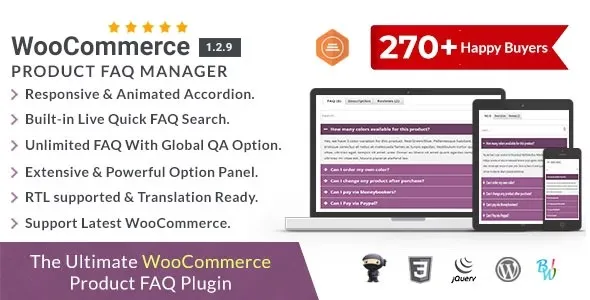
WooCommerce Product FAQ Manager is a product communication plugin designed to solve a persistent problem in online stores: unanswered buyer questions scattered across emails, support tickets, reviews, and abandoned carts. In many WooCommerce stores, customers hesitate not because of price or availability, but because critical product questions remain unresolved at the decision stage. Size clarity, compatibility doubts, usage limitations, warranty concerns, and post-purchase expectations often block conversions silently.
Instead of allowing these questions to accumulate in unstructured channels, WooCommerce Product FAQ Manager centralizes them directly on product pages in a structured, searchable, and controlled format. This page explains how the plugin changes buyer behavior, how it integrates into WooCommerce at a system level, and why structured FAQs have become a conversion and trust requirement rather than an optional enhancement.
In a default WooCommerce setup, product questions surface in inefficient ways:
These issues are not caused by poor products, but by poor information architecture. WooCommerce Product FAQ Manager addresses this gap by introducing a dedicated question-and-answer layer at the product level.
After activation, product pages gain a structured FAQ system where questions and answers can be added, organized, and displayed independently of the product description. Instead of forcing explanations into marketing copy, store owners can separate persuasive content from clarifying content.
This changes how users interact with product pages. Buyers scan the main description for value, then move to FAQs for reassurance. This separation improves readability, reduces cognitive overload, and increases confidence without inflating page length unnecessarily.
WooCommerce Product FAQ Manager integrates into WooCommerce by attaching structured FAQ data directly to individual products. These FAQs are stored as product-related metadata rather than generic posts, ensuring relevance and precision.
The plugin hooks into WooCommerce’s frontend rendering logic to display FAQs in a controlled section or tab, depending on configuration. This approach avoids template overrides and maintains compatibility with themes, page builders, and caching systems.
Because FAQs are product-specific, they scale naturally with catalog growth. Each product carries only the questions that matter to it, rather than relying on global FAQ pages that dilute relevance.
From a conversion perspective, FAQs reduce uncertainty at the exact moment buyers evaluate a purchase. Questions about usage, limitations, and delivery are answered before hesitation turns into abandonment.
From an SEO perspective, structured FAQs add semantically rich, intent-matched content to product pages. They naturally introduce long-tail queries, buyer-focused language, and contextual relevance without keyword stuffing.
Search engines favor pages that resolve user intent efficiently. Well-maintained product FAQs signal helpfulness, expertise, and completeness, which align directly with modern E-E-A-T evaluation standards.
WooCommerce Product FAQ Manager is especially valuable in stores where products require explanation. Common examples include:
In these cases, FAQs act as a self-service support layer that reduces repetitive enquiries and improves buyer readiness.
FAQs must be curated carefully. Overloading product pages with irrelevant or repetitive questions can reduce clarity rather than improve it.
The plugin does not replace customer support. It reduces predictable questions, but complex or situational enquiries will still require human assistance.
To maintain trust, answers should be accurate, up to date, and aligned with actual product behavior. Outdated FAQs can damage credibility faster than missing ones.
Over time, WooCommerce Product FAQ Manager behaves as a knowledge layer rather than a visual feature. Updates typically focus on WooCommerce compatibility, performance improvements, and structured data support.
As catalogs grow, FAQ maintenance becomes part of content operations. Periodic review ensures that answers reflect product updates, policy changes, and customer feedback trends.
Stores that actively maintain FAQs often see reduced support load and higher conversion stability across product updates.
This plugin is ideal for stores where customer questions influence purchasing decisions. Brands focused on trust, clarity, and informed buying benefit most.
For simple impulse-purchase products with minimal decision friction, FAQs may be less critical but still valuable for post-purchase reassurance.
FAQs are added per product, ensuring relevance and preventing generic or misleading answers.
When properly implemented, FAQs add minimal overhead and are rendered efficiently within WooCommerce’s structure.
Yes, clearly written FAQs significantly reduce repetitive pre-sales and post-purchase enquiries.
Yes, FAQs add crawlable, intent-rich content that can enhance long-tail visibility.
Yes, FAQs are managed independently, allowing updates without touching core marketing content.
Because it relies on WooCommerce hooks, it works with most modern themes and layouts.
Recent update focus areas commonly include:
Consistent updates are important for plugins that modify product page behavior.
Before downloading WooCommerce Product FAQ Manager, assess how often customers ask similar questions about your products. If the same doubts repeatedly delay purchases or generate support load, structured product FAQs provide a scalable, SEO-friendly solution that improves both user experience and operational efficiency.
Geotoko is a trusted GPL website for WordPress themes, plugins, Shopify templates, and free giveaways. Download original, secure GPL files with lifetime updates.
All products on Geotoko are fully licensed under the GNU General Public License (GPL) and are independently reviewed for safety and quality.