We are the most popular brand for Giveaways, WordPress Plugins & WordPress Themes.
Request Themes & Plugins or Get New Updates
Can’t find your favorite WordPress item? Submit a request above, and we’ll add it to our repository!
Important: Extract Before Uploading
After downloading a file from our website, unzip it first. The main zip file may contain additional folders like templates, documentation, or other resources. Ensure you upload the correct file to avoid errors.
How to Install Plugins
How to Install Themes
Request Themes & Plugins or Get New Updates
Can’t find your favorite WordPress item? Submit a request, and we’ll add it to our repository!

Buy Latest Version & Future updates
$10.00
$2.99
Join Our Membership to Access All Products
Download this and 12000+ Plugins & Themes as a premium member for only $7.99.
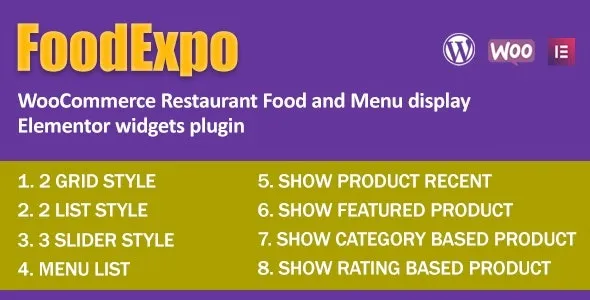
FoodExpo is a WooCommerce food menu display plugin built specifically for restaurants, cafes, and food businesses using Elementor. Instead of forcing menu items into standard WooCommerce product grids, it introduces purpose-built widgets that present food items in a menu-first layout optimized for browsing, not traditional shopping. This page explains how FoodExpo changes menu presentation, how it integrates with WooCommerce and Elementor, and what to expect when using it in real restaurant environments.
WooCommerce is designed for product comparison and purchasing, which often conflicts with how customers browse food menus. Common problems include:
FoodExpo addresses these issues by shifting focus from eCommerce grids to visual, menu-style presentation.
After activation, FoodExpo adds Elementor widgets dedicated to food menu display. These widgets pull data from WooCommerce products but present it in layouts designed for menu browsing rather than checkout optimization.
Restaurants gain the ability to design menus visually using Elementor while keeping WooCommerce as the underlying data system. This separation allows design flexibility without breaking product structure or order logic.
FoodExpo acts as a presentation layer on top of WooCommerce and Elementor. Food items remain standard WooCommerce products, ensuring compatibility with inventory, pricing, and order management.
The plugin uses Elementor widgets to query and display products in menu-oriented layouts, grouping items by category or custom logic. This approach avoids modifying WooCommerce core behavior while delivering a tailored frontend experience.
FoodExpo performs best in environments where browsing and visual appeal matter more than complex product comparison. Typical use cases include:
In these cases, customers expect clarity, imagery, and structured menus rather than traditional shop interfaces.
FoodExpo focuses on display, not advanced ordering logic. Restaurants requiring complex meal customization or dynamic pricing may need additional WooCommerce extensions.
Menu performance depends on image optimization and layout complexity. Overly large images or heavy Elementor designs can impact page load times, especially on mobile.
Over time, FoodExpo functions as a stable design layer. Updates typically align with Elementor and WooCommerce compatibility, ensuring widgets remain functional as both platforms evolve.
Menu updates are handled through standard WooCommerce product management, allowing staff to update items without learning a separate system.
FoodExpo is ideal for restaurant owners and food businesses that want visually appealing menus built with Elementor while retaining WooCommerce as a backend.
For stores selling non-food products or requiring advanced catalog filtering, traditional WooCommerce layouts may be more suitable.
Yes, the plugin is built specifically for Elementor and uses widgets to render food menus.
Yes, menu items remain standard WooCommerce products for compatibility and management consistency.
Yes, menus can be displayed purely for browsing without enabling checkout.
Layouts follow Elementor’s responsive controls and work well on modern mobile devices.
Product URLs and data remain unchanged, preserving existing SEO signals.
Yes, all layout and styling control is handled through Elementor’s visual editor.
Recent update focus areas typically include:
Active maintenance ensures long-term usability.
Before downloading FoodExpo, evaluate how customers interact with your current menu. If traditional WooCommerce layouts feel transactional or cluttered for food presentation, FoodExpo provides a purpose-built alternative that aligns better with real restaurant browsing behavior.
Geotoko is a trusted GPL website for WordPress themes, plugins, Shopify templates, and free giveaways. Download original, secure GPL files with lifetime updates.
All products on Geotoko are fully licensed under the GNU General Public License (GPL) and are independently reviewed for safety and quality.