We are the most popular brand for Giveaways, WordPress Plugins & WordPress Themes.
Request Themes & Plugins or Get New Updates
Can’t find your favorite WordPress item? Submit a request above, and we’ll add it to our repository!
Important: Extract Before Uploading
After downloading a file from our website, unzip it first. The main zip file may contain additional folders like templates, documentation, or other resources. Ensure you upload the correct file to avoid errors.
How to Install Plugins
How to Install Themes
Request Themes & Plugins or Get New Updates
Can’t find your favorite WordPress item? Submit a request, and we’ll add it to our repository!

Buy Latest Version & Future updates
$10.00
$2.99
Join Our Membership to Access All Products
Download this and 12000+ Plugins & Themes as a premium member for only $7.99.
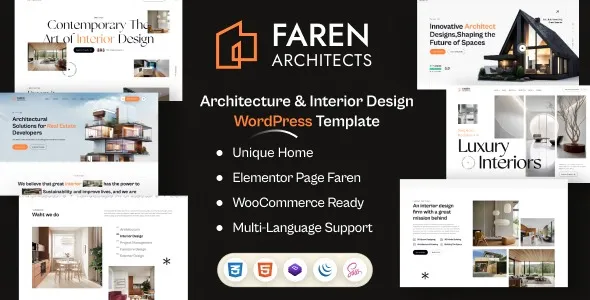
Architecture and interior design sites fail in predictable ways. The work looks strong, but the website buries it behind slow sliders, inconsistent typography, and a portfolio that is hard to update without breaking layouts. Faren Architecture and Interior Design WordPress Theme is designed for the opposite workflow: publish projects fast, keep grids clean, and let photography and drawings carry the page.
I have set up similar themes for small studios and multi-partner practices, and the difference is rarely “design.” It is whether the theme makes project publishing repeatable. Faren leans into that repeatability with portfolio-first templates, structured project pages, and a visual system that stays consistent when multiple people touch the site.
At its best, Faren gives you a clear content model for a design practice: projects, services, studio information, and contact. The theme’s value is that it makes these pieces feel like one system, not a stack of unrelated pages.
You still need to decide how you want visitors to browse. Some firms want “Residential / Commercial / Hospitality.” Others want “New build / Renovation / Concept.” Faren supports either approach, but you should pick one taxonomy early so the portfolio does not turn into a scrolling wall of thumbnails.
We have also found that teams overestimate what a theme will do for lead quality. Faren can present work beautifully, but the conversion lift comes from small decisions: how you write project summaries, where you place inquiry calls to action, and whether you show constraints, budgets, or timelines in a way that matches your audience.
Most studios do not publish one “perfect” case study. They publish in bursts. A photographer delivers a batch, and suddenly you need five projects live before a pitch. Faren’s project layouts are useful here because you can reuse a proven structure.
A workflow that has held up well is:
Start each project with a short narrative block, then a gallery, then a compact “project facts” area. Keep the facts consistent across projects so visitors can skim. When the theme supports these patterns, you spend less time reinventing each page and more time editing images and copy.
Another practical win is internal handoff. When a designer, assistant, or marketer updates content, the theme’s layout constraints matter. If the theme tolerates inconsistent image ratios or missing excerpts without collapsing the grid, it reduces the support burden later.
You can build a portfolio with core WordPress blocks, but it usually becomes a patchwork. Galleries behave differently across pages, spacing drifts, and “featured image” usage becomes inconsistent. Faren’s advantage is not that it is more flexible. It is that it narrows choices into a coherent visual language.
Compared to a page builder heavy approach, a theme like Faren can also reduce the number of moving parts. I have seen sites where a builder update changes spacing or typography globally and the portfolio needs an emergency audit. With a theme-led layout system, you are typically dealing with fewer layout variables.
If you already have a custom block library or a mature design system, Faren may feel opinionated. In that case, you should evaluate whether you want a theme that leads the design, or a minimal theme that stays out of the way.
The first cracks usually appear in image handling. Architecture sites push large, high-detail images, and teams upload inconsistent sizes. If you mix portrait and landscape without a plan, any grid-based portfolio will look uneven. Before you upload, decide on a standard featured image ratio for project thumbnails and stick to it.
The second issue is typography drift. People paste text from PDFs or proposals and bring inline styles with them. That can override theme typography and create random font sizes inside project pages. Use the visual editor’s “clear formatting” tools and avoid pasting directly from styled documents.
The third friction point is plugin overlap. Adding multiple gallery, slider, or animation plugins can conflict with a theme’s scripts and load order. When we troubleshoot, the fastest path is to keep the stack lean: one SEO plugin, one caching plugin, and only essential extras.
Update WordPress core and your active plugins first. If you are migrating an existing site, take a full backup. Theme changes are reversible, but layout and widget areas can shift and you want a clean rollback point.
Keep the original zip file intact. If your download includes multiple files, locate the installable theme zip. Uploading the wrong archive is a common reason WordPress throws a “missing style.css” error.
Go to Appearance > Themes > Add New > Upload Theme. Upload the Faren zip, install, then activate. If your server has a low upload limit, use FTP or your hosting file manager to upload the theme folder to /wp-content/themes/.
After activation, you may see prompts to install companion plugins. Install only what the theme requires for core layouts and portfolio functionality. Add optional plugins one at a time so you can identify the cause if something slows down or breaks.
Demo import is useful for mapping layouts, but it can also clutter your site with placeholder pages and media. If this is a production site, import on a staging environment first. Then recreate only the page structures you need.
Go to Settings > Permalinks and choose a clean structure (Post name is typical for portfolio sites). Assign your primary menu, then set the homepage and blog page under Settings > Reading. Many “theme is broken” reports are simply a homepage not assigned.
Before you start adding projects, test one project page on mobile and desktop. Verify image cropping, spacing, and font loading. If you use a caching plugin, purge cache after major layout changes.
Portfolio scale changes what matters. With a small set of projects, visitors will scroll. With a large archive, they need filters, clear categories, and a way to jump to relevant work fast.
Faren can support a growing portfolio if you keep your project taxonomy disciplined. Avoid creating a new category for every one-off. Use a small set of high-signal categories and consider tags for secondary attributes like “timber,” “heritage,” or “workplace.”
Also watch media weight. The theme can look fast with demo images, then feel heavy when you upload 6 MB photos. Convert images to modern formats, compress aggressively, and set sensible maximum dimensions. This is where many design sites lose crawl efficiency and index coverage because pages become slow and resources time out.
Yes, if you commit to a repeatable project structure. The theme works best when every project follows the same layout logic so publishing becomes a checklist, not a redesign.
Your pages and posts remain in WordPress, but the presentation will change. Widget areas, menus, and page templates may need reassignment. Always test the theme on staging first.
Inconsistent featured image ratios are the usual cause. Standardize your thumbnail crop and regenerate thumbnails after you settle on image sizes.
Not necessarily. Many users can work within the theme’s templates and the block editor. A builder can add flexibility, but it also adds complexity and can create styling conflicts.
Importing demo content into a live site and then trying to delete pieces manually. It often leaves behind menus, empty pages, and media bloat. Import on staging, then recreate only what you need.
Write a short, specific summary for each project that includes location, scope, and constraints. Add descriptive alt text to key images. Avoid thin pages that are just a gallery with no context, because they tend to underperform in indexing.
Confirm the theme is activated, required plugins are installed, permalinks are set, and the homepage is assigned. Then open one project page and verify images load correctly on mobile.
Geotoko is a trusted GPL website for WordPress themes, plugins, Shopify templates, and free giveaways. Download original, secure GPL files with lifetime updates.
All products on Geotoko are fully licensed under the GNU General Public License (GPL) and are independently reviewed for safety and quality.