We are the most popular brand for Giveaways, WordPress Plugins & WordPress Themes.
Request Themes & Plugins or Get New Updates
Can’t find your favorite WordPress item? Submit a request above, and we’ll add it to our repository!
Important: Extract Before Uploading
After downloading a file from our website, unzip it first. The main zip file may contain additional folders like templates, documentation, or other resources. Ensure you upload the correct file to avoid errors.
How to Install Plugins
How to Install Themes
Request Themes & Plugins or Get New Updates
Can’t find your favorite WordPress item? Submit a request, and we’ll add it to our repository!

Buy Latest Version & Future updates
$15.00
$4.99
Join Our Membership to Access All Products
Download this and 12000+ Plugins & Themes as a premium member for only $7.99.
Construction and renovation sites rarely have clean content. You get a mix of service pages, project galleries, compliance notes, quote forms, and “we also do” pages that keep growing over time.
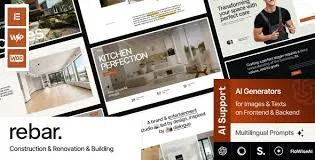
Rebar Construction Renovation Building WordPress Theme is built for that reality. It gives you a structure that can hold multiple service lines, location pages, and project portfolios without feeling like you are forcing a blog theme to behave like a trades business website.
I have seen teams lose weeks rebuilding navigation and templates after the third or fourth “small change” request. With Rebar, the big win is not a single feature. It is that the layouts and page types are already aligned with how construction businesses actually sell work.
Most buyers want three outcomes: show credibility, generate quote requests, and make it easy for people to understand services quickly. Rebar supports that by giving you page structures that map well to real intent.
Instead of one generic “Services” page, you can build service-specific pages that include scope, process, and proof. That matters for SEO because each page can target a distinct intent, like kitchen renovation vs. roofing repair, without duplicating the same blocks everywhere.
Before-and-after galleries and project summaries are not just visual. They are indexable content if you add context: location, constraints, materials, timeline, and what changed. Rebar’s portfolio-style layouts make it easier to keep those pages consistent.
Construction buyers look for insurance, certifications, safety practices, and reviews. The theme’s layout patterns make it easy to place those elements near the decision points, not buried in a footer.
The first friction point is usually demo import expectations. People import a demo, then assume their real content will “just fit.” It rarely does. The demo content often uses perfect image ratios and short headings that hide layout stress.
On a live site, we had sections overflow when service names were longer and when project titles included locations. The fix was simple but not obvious: tighten heading hierarchy, standardize image aspect ratios, and avoid stacking too many icon boxes in a single row on mobile.
Another common snag is treating every page like a landing page. That leads to repeated blocks across pages, which creates duplicate intent. We ended up defining three reusable page patterns only: service page, project page, and location page. Everything else linked into those.
If you have used a general-purpose theme before, you know the trade-off. You get endless layout options, but you also get endless ways to create inconsistency. Rebar is narrower in focus, and that is a benefit when multiple people edit the site.
With a multipurpose theme, teams often end up with ten variations of the same “request a quote” section. That looks harmless, but it fragments conversions and makes content updates painful. Rebar’s construction-first patterns reduce that drift.
Also, construction sites tend to evolve into many small pages. A theme that encourages consistent templates helps Google understand page roles. That improves crawl prioritization because the site structure is clearer and internal linking is less chaotic.
Theme performance is rarely just the theme. It is images, sliders, third-party scripts, and page builder choices. Rebar can stay efficient if you make a few disciplined decisions early.
Project photos are heavy. Use consistent dimensions, compress aggressively, and avoid uploading originals straight from a phone. We also stopped using background videos on mobile because it looked impressive but slowed first paint and increased bounce.
Construction themes often include counters, parallax blocks, and multiple testimonial carousels. One is fine. Five on every page is not. Besides speed, it creates near-duplicate content patterns that make pages feel identical to both users and crawlers.
Link service pages to relevant projects, and projects back to the service page that explains the scope. This reduces orphan pages and helps Google understand topical clusters without you writing filler text.
If you are looking for the Rebar Construction Renovation Building WordPress Theme download, treat it like any production theme deployment. The goal is to install cleanly, avoid overwriting custom changes, and confirm nothing breaks under real content.
Clone your site to staging, or use a fresh WordPress install if you are starting from zero. We do this even for “simple” theme swaps because menus, widgets, and builder templates can behave differently.
Go to Appearance > Themes > Add New > Upload Theme. Upload the Rebar theme package and install it. Do not activate yet if the site is live and you have not prepared a rollback plan.
After activation, install any required plugins prompted by the theme. If a page builder is part of the setup, keep versions consistent across staging and production to avoid layout mismatches.
Demo import is useful for learning the theme’s page structure. It is not a shortcut for content. If you import, delete unused demo pages right away so they do not get indexed or clutter internal search.
Start with global items: logo, colors, typography, header, footer. Then build core pages: Home, primary services, contact, and one or two projects. This prevents you from polishing secondary pages before the structure is stable.
Test on mobile, check form submissions, click-to-call links, map embeds, and gallery behavior. Then run a quick crawl to spot accidental thin pages, duplicate titles, and broken links.
Yes, but only if you vary page intent. We recommend one template pattern for services, then customize sections based on the service scope. Add unique proof for each service, like project examples and process steps, rather than reusing the same blocks.
Importing can speed up layout setup, but it can also leave behind pages and media you forget to remove. If you import, immediately delete unused demo content and rebuild copy with real service details so you avoid duplicate-intent pages.
It is usually mixed aspect ratios. Standardize your project thumbnails and gallery images to a consistent ratio, then regenerate thumbnails if needed. This is one of the quickest improvements you can make for perceived quality.
It can, and it is a good fit when you pair each location page with specific services and local project examples. Avoid spinning near-identical location pages with swapped city names. Google tends to treat those as thin or duplicative.
Overbuilding the homepage and underbuilding service pages. The homepage can stay concise. The pages that rank and convert are usually service pages and project pages with specific details, photos, and FAQs tied to buyer questions.
No. Rebar can present forms and calls-to-action well, but it does not replace job management, estimating, or CRM workflows. If you need scheduling, pipelines, or automated quoting, plan to integrate a dedicated tool.
Geotoko is a trusted GPL website for WordPress themes, plugins, Shopify templates, and free giveaways. Download original, secure GPL files with lifetime updates.
All products on Geotoko are fully licensed under the GNU General Public License (GPL) and are independently reviewed for safety and quality.