We are the most popular brand for Giveaways, WordPress Plugins & WordPress Themes.
Request Themes & Plugins or Get New Updates
Can’t find your favorite WordPress item? Submit a request above, and we’ll add it to our repository!
Important: Extract Before Uploading
After downloading a file from our website, unzip it first. The main zip file may contain additional folders like templates, documentation, or other resources. Ensure you upload the correct file to avoid errors.
How to Install Plugins
How to Install Themes
Request Themes & Plugins or Get New Updates
Can’t find your favorite WordPress item? Submit a request, and we’ll add it to our repository!

Buy Latest Version & Future updates
$15.00
$4.99
Join Our Membership to Access All Products
Download this and 12000+ Plugins & Themes as a premium member for only $7.99.
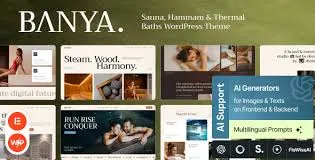
Banya Sauna, Hammam and Thermal Baths WordPress Theme is built for businesses that sell time-based services and atmosphere, not just information. That sounds obvious, but it changes what your website needs to do. You are trying to convert visitors who want reassurance about hygiene, privacy, heat levels, and the overall experience. You also need to show schedules, rooms, rituals, and add-ons in a way that feels calm instead of salesy.
On a live build, the biggest win I saw with Banya was how quickly you can get to a “ready to book” layout without assembling five separate plugins and a custom page template. The biggest risk is treating it like a generic multipurpose theme and piling on extra builders, sliders, and third-party widgets. That is where performance and editing friction start.
Banya is strongest when you use it as a structured website system: service pages for sauna and hammam rituals, a clear pricing layout, staff or therapist profiles, and a gallery that does not feel like a stock photo dump. It is also a good fit for thermal bath venues that need multiple facility pages and a unified brand look.
Where teams sometimes overestimate it is bookings. Many themes present “appointment” sections, but the actual booking logic usually still relies on a dedicated booking plugin or external system. We ended up integrating a booking tool and then styling the forms to match the theme. Plan for that if you need deposits, staff assignment, capacity limits, or automated reminders.
Single-location spa sites with 6–20 core pages. Sauna studios that offer packages and memberships. Hammam venues that need ritual explanations, pre-visit instructions, and a strong visual hierarchy for add-ons.
If you are running a chain with dozens of locations, Banya can still work, but you will need disciplined content modeling and a plan for location pages, schema, and internal linking so Google does not see everything as duplicate intent.
Most of the pain with spa themes comes from mixing multiple editing systems. If Banya ships with a page builder workflow, stick with it. Do not add a second builder “just for one landing page.” I have watched that decision turn into a long-term maintenance issue where half the site is editable one way and the other half is locked behind shortcodes or different widgets.
Another friction point is global styling. Before you start creating pages, set typography, button styles, and spacing rules once. When we skipped that step, every new service page required manual tweaks, and the site slowly drifted into inconsistent UI. That inconsistency is not just visual. It makes content harder to scan, which can reduce conversions on mobile.
For sauna, hammam, and thermal bath pages, avoid writing three versions of the same “relax and detox” paragraph. Instead, make each service page answer a different intent. One page can focus on heat protocol and contraindications, another on ritual steps and timing, and another on facility features like plunge pools or steam density.
Banya gives you the presentation layer. Your indexing advantage comes from how you structure the information: unique FAQs per service, real operational details, and internal links that reflect user journeys (first visit, membership, gift cards, couples sessions).
Out of the box, a wellness theme can feel smooth on demo content and then slow down once you add real galleries, video headers, and third-party embeds. With Banya, the biggest performance swings I saw came from image handling and animation settings.
If you keep hero sections simple, compress imagery, and limit above-the-fold sliders, the pages stay responsive. If you stack multiple animated blocks, parallax effects, and unoptimized galleries on every service page, you will feel it on mid-range phones. We fixed a slow homepage by reducing the number of above-the-fold elements and replacing a heavy slider with a single static hero and a clear CTA.
Use consistent image aspect ratios so the layout does not jump during load. Avoid embedding large third-party maps on every page; use a link or a lightweight map block on key pages only. Keep your “ritual steps” sections as text and icons rather than images of text.
You can build a spa site with a default theme plus blocks, but you will spend time recreating the same patterns: service grids, pricing tables, staff cards, and gallery layouts. Banya reduces that setup time and gives you a cohesive visual system.
The trade-off is that you are buying into the theme’s design language. If your brand requires a very strict, minimal editorial style, you may find yourself undoing design decisions rather than benefiting from them. In that case, a lighter base theme with custom blocks can be a better long-term fit.
Install Banya Sauna, Hammam and Thermal Baths WordPress Theme on staging before touching your live site. Theme activation can change templates, menus, and widget areas. A staging run lets you spot layout conflicts without downtime.
When you obtain the Banya WordPress Theme download, keep the original zip intact. If you extract and re-zip incorrectly, WordPress may reject it or miss bundled assets. If the package includes a child theme, keep it separate and install both.
In WordPress, go to Appearance, then Themes, then Add New, then Upload Theme. Upload the zip and activate it. If the theme prompts you to install required plugins, install them one by one and activate them. Do not activate optional plugins you do not need yet.
If you use a demo importer, import only what you need. On one build, importing everything created dozens of pages and media items that later had to be cleaned up. It is faster to import a base set and then build your real pages immediately.
Set fonts, colors, and button styles first. Then create your key pages: Home, Services, Pricing, About, Contact, and one “First visit” guide. Build internal links early so Google can crawl a coherent structure from day one.
Check mobile menus, sticky headers, and any booking or contact forms. If you use caching, clear cache after importing templates. We also validate that gallery pages load without layout shifts and that images are properly sized.
It is suitable for the website and conversion flow, but booking usually still requires a dedicated booking system. Plan to connect a booking plugin or external booking link and style it to match the theme.
Yes, if you write each service page for a distinct intent. Use different page structures: one page focused on benefits and safety guidance, another on ritual steps and what to bring, another on facility features and session options.
Importing full demo content and then editing it in place without a content plan. It often leaves hidden duplicate pages, leftover menus, and bloated media libraries that hurt maintenance and sometimes indexing.
If you plan to edit theme files or add custom template changes, yes. We use a child theme for any code-level customization so updates do not overwrite changes.
It can, but only if you treat images as a performance budget. Use consistent sizes, compress uploads, and avoid stacking multiple heavy galleries on the same page, especially above the fold.
Menus on mobile, form submissions, page speed on real devices, and any layout shifts caused by fonts or images. Also verify that your core pages are internally linked so crawlers can reach everything easily.
Geotoko is a trusted GPL website for WordPress themes, plugins, Shopify templates, and free giveaways. Download original, secure GPL files with lifetime updates.
All products on Geotoko are fully licensed under the GNU General Public License (GPL) and are independently reviewed for safety and quality.