We are the most popular brand for Giveaways, WordPress Plugins & WordPress Themes.
Request Themes & Plugins or Get New Updates
Can’t find your favorite WordPress item? Submit a request above, and we’ll add it to our repository!
Important: Extract Before Uploading
After downloading a file from our website, unzip it first. The main zip file may contain additional folders like templates, documentation, or other resources. Ensure you upload the correct file to avoid errors.
How to Install Plugins
How to Install Themes
Request Themes & Plugins or Get New Updates
Can’t find your favorite WordPress item? Submit a request, and we’ll add it to our repository!

Buy Latest Version & Future updates
₹500.00
₹199.00
Join Our Membership to Access All Products
Download this and 12000+ Plugins & Themes as a premium member for only $7.99.
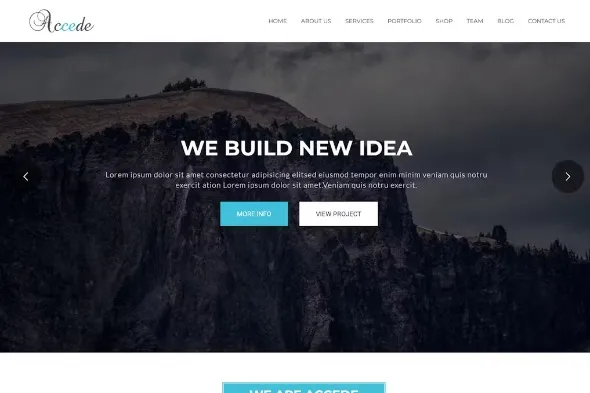
Get instant access to the latest version of Accede – Digital Agency WordPress Theme, a premium-grade WordPress framework engineered for speed, stability, and high-ranking search results. If you are looking for a reliable, professional foundation for your next project, this theme provides the perfect balance of modern aesthetics and clean, valid code. Download Accede – Digital Agency WordPress Theme today to elevate your site’s user experience and technical performance.
Search engine algorithms in 2026 prioritize sites that demonstrate superior Core Web Vitals and mobile adaptability. Accede – Digital Agency WordPress Theme is built specifically to address these ranking factors, offering a lightweight structure that minimizes server response times. By choosing this theme, you are investing in a technical asset that helps your content reach the top of the search engine results pages (SERPs) faster.
This package is distributed under the GPL (General Public License), giving you the legal freedom to install and use it on an unlimited number of websites. Whether you are a developer managing multiple client portfolios or a business owner scaling your digital footprint, the GPL version of Accede – Digital Agency WordPress Theme provides a cost-effective, high-quality solution without the burden of restrictive per-site licensing fees.
Ready to deploy? Our guide below ensures a smooth, error-free installation process for the Accede – Digital Agency WordPress Theme theme. Follow these expert-verified steps to activate your theme and begin customizing your site with the most reliable WordPress architecture available in the market.
| Asset Type | Minimum Recommendation |
|---|---|
| WordPress Version | Current Stable Version |
| PHP Environment | 8.1 or Higher |
| Database Version | MySQL 5.7+ / MariaDB 10.3+ |
| SSL Status | HTTPS Protocol Enabled |
To ensure Accede – Digital Agency WordPress Theme functions at its highest potential, we recommend following this professional installation workflow. This ensures your site maintains its structural integrity and remains SEO-friendly throughout the transition.
Accede – Digital Agency WordPress Theme.zip file from your local storage.SEO Strategy Note: After activation, check your site speed using Google PageSpeed Insights. A clean install of Accede – Digital Agency WordPress Theme typically provides an immediate boost to mobile performance scores.
Version: 1.6.0
The Accede – Digital Agency WordPress Theme theme is built with a clean HTML5 hierarchy and native schema integration. This allows search engine bots to crawl and understand your content more efficiently, which is the foundation for higher organic rankings.
Yes. The theme features a robust customization panel that allows you to modify layouts, colors, and typography without writing any code. It is designed to be highly flexible, making it suitable for any niche or category.
Absolutely. The GPL (General Public License) is the standard for WordPress software. It grants you the legal right to use, modify, and redistribute the theme across as many personal or commercial websites as you wish.
Accede – Digital Agency WordPress Theme is highly optimized and works with all standard WordPress hosting environments. For the best performance, we recommend hosting that supports a modern PHP version and SSD-based storage.
This version of Accede – Digital Agency WordPress Theme is released under the GPL, meaning it functions without a license key. You have full access to the theme’s features and settings right out of the box.
Geotoko is a trusted GPL website for WordPress themes, plugins, Shopify templates, and free giveaways. Download original, secure GPL files with lifetime updates.
All products on Geotoko are fully licensed under the GNU General Public License (GPL) and are independently reviewed for safety and quality.