We are the most popular brand for Giveaways, WordPress Plugins & WordPress Themes.
All Download Files
Request Themes & Plugins or Get New Updates
Can’t find your favorite WordPress item? Submit a request above, and we’ll add it to our repository!
Important: Extract Before Uploading
After downloading a file from our website, unzip it first. The main zip file may contain additional folders like templates, documentation, or other resources. Ensure you upload the correct file to avoid errors.
How to Install Plugins
How to Install Themes
Request Themes & Plugins or Get New Updates
Can’t find your favorite WordPress item? Submit a request, and we’ll add it to our repository!

Buy Latest Version & Future updates
₹250.00
₹180.00
Join Our Membership to Access All Products
Download this and 12000+ Plugins & Themes as a premium member for only $7.99.
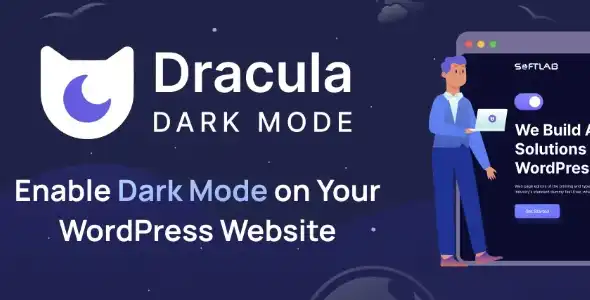
Dark mode is easy to demo and surprisingly easy to mess up in production. I have seen “dark mode” plugins that invert logos, flatten product photos, and make checkout fields unreadable on mobile. DRACULA DARK MODE PRO is the kind of tool you use when you want a dark theme toggle that feels intentional, not like a filter slapped over the whole site.
What it enables, in practical terms, is control. You can offer visitors a dark experience without rebuilding your theme, while keeping key UI elements, brand colors, and WooCommerce components readable.
At its best, DRACULA DARK MODE PRO gives you a dark-mode layer that respects your design system. Instead of blindly inverting everything, you can tune how backgrounds, text, borders, and interactive states behave. That matters most on product pages where contrast and hierarchy drive conversions.
On WooCommerce builds, the difference is obvious in the places people forget to test. Variation dropdowns, quantity inputs, coupon fields, and the mini cart all need consistent contrast. We have fixed dark mode setups where the add to cart button looked fine, but the focus states disappeared, which is a real accessibility and usability problem.
The plugin is most valuable when you treat it like a design adjustment tool. Set the baseline dark palette, then selectively exclude problem elements rather than trying to override everything with custom CSS after the fact.
You can absolutely build dark mode manually. You add a toggle, store user preference, and write a second set of variables and component rules. That is clean when you control the whole stack, but it becomes a maintenance tax when you have page builders, third-party blocks, and multiple plugins injecting markup.
DRACULA DARK MODE PRO earns its place when you have lots of surfaces to cover. Think landing pages, blog templates, account pages, and checkout, all with slightly different HTML. Instead of chasing selectors forever, you get a centralized system with exclusions and targeted adjustments.
I have also used it as a “stabilizer” during redesigns. You can keep dark mode usable while the theme is being refactored, then tighten the rules once the new templates settle.
The most common mistake is expecting dark mode to be fully automatic. If your site uses images with baked-in dark backgrounds, icon fonts that rely on inherited color, or custom SVGs without explicit fills, you will need to tune exclusions.
Here are the failure patterns we typically catch in QA:
Logos and badges get inverted or washed out. The fix is usually excluding the logo container or setting a specific rule for that element.
Product galleries can look “muddy” when overlays and background filters stack. On some themes, gallery navigation arrows inherit colors that become low-contrast in dark mode.
Checkout fields lose focus outlines. This is subtle, but it impacts form completion. We test tab navigation specifically because dark mode can hide the active field state.
Popup builders and off-canvas carts sometimes render outside the expected DOM area. If a popup is generated in a separate wrapper, your dark mode settings may not apply consistently until you include that container in your targeting.
If you are troubleshooting, isolate one template at a time. Start with product page, cart, and checkout. Once those are stable, the rest is usually straightforward.
Dark mode can reduce eye strain for some users, but the measurable win on commerce sites is often behavioral. Visitors who browse at night or on OLED phones tend to spend longer on content-heavy pages when the contrast is comfortable. That only holds true if the design remains crisp and readable.
From a performance standpoint, a well-built dark mode toggle should not add heavy runtime work. Where I have seen issues is when a site stacks multiple visual scripts. If you already run animation libraries, sticky headers, and dynamic filters, test for layout thrash when toggling modes. The goal is a clean switch that does not cause reflow spikes.
We also recommend testing Core Web Vitals with dark mode enabled and disabled. Some themes load different assets based on mode, and you want to avoid duplicating large background images or icon sets.
Before you install, take a backup or at least create a restore point in your host panel. Dark mode changes are visual, but they can affect checkout usability. You want a quick path back if a template becomes unreadable.
In your WordPress admin, go to Plugins, then Add New, then upload the DRACULA DARK MODE PRO plugin file and activate it. If you are looking for “DRACULA DARK MODE PRO download” instructions, this is the same workflow you use for any premium plugin ZIP install.
Set your default background and text contrast so that body text, headings, and links are readable. Do this before you start excluding elements. A strong baseline reduces the number of exceptions you need later.
Open product pages, cart, checkout, and account pages. Test on mobile. Toggle dark mode on and off. Check form focus states, validation errors, and disabled button styles.
Exclude logos, product images, and any brand assets that should not be altered. Then handle popups, sticky headers, and any page builder sections that render differently in dark mode.
If you use a caching plugin or CDN, clear caches after changes. I have seen “it works for me” confusion where the admin sees updated styling, but visitors get the previous CSS or script bundle.
If your theme is already built with CSS variables and has a native dark scheme, you may not need an additional plugin. In that case, adding another layer can create conflicts and extra QA work.
It is also not a substitute for fixing low-contrast design. If your brand palette is already borderline on accessibility, dark mode will expose it quickly. You may need to adjust colors at the design system level rather than trying to patch it with overrides.
Yes, but you should test the full purchase flow. Product pages are usually fine, while cart and checkout reveal the real issues like focus states, error messages, and payment section styling.
It can, depending on configuration. In most stores, you will want to exclude product images and logos so photography and brand assets stay true.
In practice, you can usually scope dark mode behavior by targeting templates or excluding specific areas. If you only want dark mode on content pages and not checkout, test thoroughly because partial coverage can feel inconsistent to users.
Mobile menus, off-canvas panels, and sticky bars often use different markup and z-index layers. Those components may need separate targeting or exclusions so text and icons keep enough contrast.
Not inherently, but caching can delay your changes from showing to visitors. Clear page cache and any combined CSS or JS cache after you adjust settings, and retest in an incognito window.
Check your highest-traffic templates first. For WooCommerce, that is usually product, cart, checkout, and account. Then test blog posts with tables, embedded forms, and any third-party widgets that inject their own styles.
Geotoko is a trusted GPL website for WordPress themes, plugins, Shopify templates, and free giveaways. Download original, secure GPL files with lifetime updates.
All products on Geotoko are fully licensed under the GNU General Public License (GPL) and are independently reviewed for safety and quality.