We are the most popular brand for Giveaways, WordPress Plugins & WordPress Themes.
Request Themes & Plugins or Get New Updates
Can’t find your favorite WordPress item? Submit a request above, and we’ll add it to our repository!
Important: Extract Before Uploading
After downloading a file from our website, unzip it first. The main zip file may contain additional folders like templates, documentation, or other resources. Ensure you upload the correct file to avoid errors.
How to Install Plugins
How to Install Themes
Request Themes & Plugins or Get New Updates
Can’t find your favorite WordPress item? Submit a request, and we’ll add it to our repository!

Buy Latest Version & Future updates
$15.00
$4.99
Join Our Membership to Access All Products
Download this and 12000+ Plugins & Themes as a premium member for only $7.99.
Selecting a WordPress theme should follow a decision framework, not impulse design preference. A theme impacts performance, navigation clarity, product visibility, and long-term scalability.
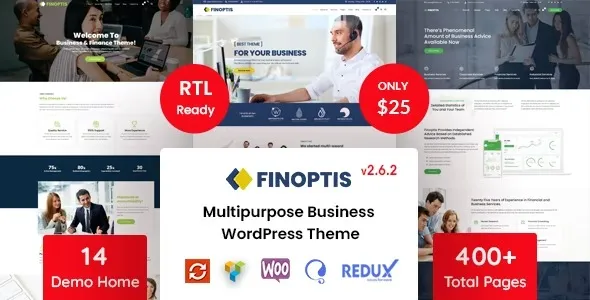
If you are considering downloading Finoptis – Multipurpose Business WordPress Theme, use this evaluation structure to determine whether it aligns with your operational goals before installation.
Before installing any theme, clarify:
Themes support structure. They do not solve strategic confusion.
This theme is a strong match if:
It may require additional infrastructure planning if your catalog is extremely large or highly customized.
Before downloading Finoptis – Multipurpose Business WordPress Theme, confirm your environment is prepared:
Preparation prevents avoidable deployment errors.
You can download the complete Finoptis – Multipurpose Business WordPress Theme theme package under GPL licensing terms. GPL allows installation across multiple WordPress websites while respecting open-source guidelines.
The download includes the core theme files required for activation and configuration.
Always install in a staging environment first when upgrading an existing store.
Activation is only the beginning. Refinement determines success.
Themes perform best when unnecessary elements are removed.
Version: 2.7.0
No. Product data is stored in WooCommerce. The theme changes presentation and layout only.
Most layout adjustments can be handled through theme options or supported page builders. Advanced customization may require CSS adjustments.
Compatibility updates are important. Always keep WordPress, WooCommerce, and the theme version aligned.
Yes. Proper caching improves performance and is recommended.
No. Demo content is optional and should be refined before live deployment.
Geotoko is a trusted GPL website for WordPress themes, plugins, Shopify templates, and free giveaways. Download original, secure GPL files with lifetime updates.
All products on Geotoko are fully licensed under the GNU General Public License (GPL) and are independently reviewed for safety and quality.