We are the most popular brand for Giveaways, WordPress Plugins & WordPress Themes.
Request Themes & Plugins or Get New Updates
Can’t find your favorite WordPress item? Submit a request above, and we’ll add it to our repository!
Important: Extract Before Uploading
After downloading a file from our website, unzip it first. The main zip file may contain additional folders like templates, documentation, or other resources. Ensure you upload the correct file to avoid errors.
How to Install Plugins
How to Install Themes
Request Themes & Plugins or Get New Updates
Can’t find your favorite WordPress item? Submit a request, and we’ll add it to our repository!

Buy Latest Version & Future updates
₹800.00
₹399.00
Join Our Membership to Access All Products
Download this and 12000+ Plugins & Themes as a premium member for only $7.99.
Many store owners only consider changing their WordPress theme after experiencing slow load times, messy product layouts, or declining conversions. The decision usually follows frustration with cluttered navigation, inconsistent design blocks, or a checkout flow that feels disconnected.
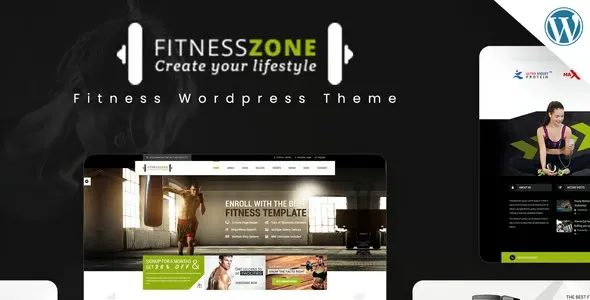
Upgrading to Fitness Zone WordPress Theme is not simply a visual redesign. It is a structural reset. When implemented properly, it reorganizes product hierarchy, simplifies browsing, and improves how visitors move from category pages to checkout.
Before downloading any theme, it’s important to understand how it changes workflow, not just appearance.
Typical issues store owners experience:
These problems are rarely fixed by plugins alone. Structural design plays a major role.
When Fitness Zone WordPress Theme is configured with discipline, improvements often include:
The difference is not automatic. It depends on responsible configuration and optimization.
You can download the complete Fitness Zone WordPress Theme theme package under GPL licensing terms. GPL allows installation on multiple WordPress websites while respecting open-source distribution guidelines.
Before installation, confirm:
Installing on staging first is strongly recommended.
Do not rely solely on demo import. Real refinement is required.
Most theme-related complaints originate from these avoidable mistakes.
The theme provides the structure. Optimization makes it scalable.
Version: 5.9
Yes, provided migration is planned carefully and testing is completed before going live.
Products remain stored in WooCommerce. Layout and presentation change, not product data.
Basic installation takes minutes. Proper optimization and refinement may take several hours depending on store size.
Yes, if backups are created before activation.
No theme guarantees conversion growth automatically. Structured deployment and clear merchandising strategy determine outcomes.
Geotoko is a trusted GPL website for WordPress themes, plugins, Shopify templates, and free giveaways. Download original, secure GPL files with lifetime updates.
All products on Geotoko are fully licensed under the GNU General Public License (GPL) and are independently reviewed for safety and quality.