We are the most popular brand for Giveaways, WordPress Plugins & WordPress Themes.
All Download Files
Request Themes & Plugins or Get New Updates
Can’t find your favorite WordPress item? Submit a request above, and we’ll add it to our repository!
Important: Extract Before Uploading
After downloading a file from our website, unzip it first. The main zip file may contain additional folders like templates, documentation, or other resources. Ensure you upload the correct file to avoid errors.
How to Install Plugins
How to Install Themes
Request Themes & Plugins or Get New Updates
Can’t find your favorite WordPress item? Submit a request, and we’ll add it to our repository!

Buy Latest Version & Future updates
₹500.00
₹180.00
Join Our Membership to Access All Products
Download this and 12000+ Plugins & Themes as a premium member for only $7.99.
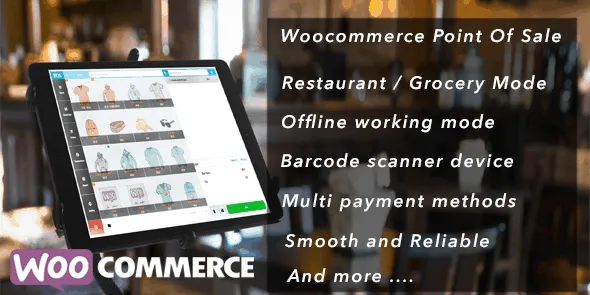
OpenPOS WooCommerce Point Of Sale is a retail-focused extension that transforms WooCommerce into a fully functional point-of-sale (POS) system. It enables store owners to manage physical store transactions, in-store payments, and customer billing directly within the same WooCommerce environment used for online sales.
For businesses operating both eCommerce and brick-and-mortar stores, maintaining separate systems for inventory and sales creates data inconsistencies. OpenPOS bridges this gap by synchronizing offline transactions with WooCommerce in real time, ensuring unified stock control and centralized reporting.
Modern retail increasingly blends online and offline commerce. Without system integration, businesses risk:
OpenPOS WooCommerce Point Of Sale allows retailers to process in-store orders while automatically updating WooCommerce inventory and customer records.
This centralized infrastructure improves operational accuracy and supports scalable retail growth.
Every in-store transaction updates WooCommerce stock levels instantly. This prevents overselling and ensures consistent inventory data across all sales channels.
Retail staff can quickly locate products using:
This accelerates checkout processing and improves customer service efficiency.
OpenPOS supports integration with WooCommerce payment gateways and can handle:
Payment records are stored within WooCommerce order history for reporting accuracy.
Store staff can:
This strengthens CRM capabilities across both online and physical channels.
The system supports receipt generation and printing for completed transactions, maintaining professional retail standards.
For businesses with multiple store locations, OpenPOS can manage separate outlets while centralizing reporting. Staff permissions can be configured to control access levels within the POS interface.
OpenPOS WooCommerce Point Of Sale is particularly valuable for:
It is especially useful for businesses already using WooCommerce as their primary inventory management system.
By unifying POS and eCommerce systems, businesses gain:
This integrated structure reduces administrative overhead and supports data-driven decision-making.
Hardware compatibility, such as barcode scanners and receipt printers, should be verified during setup.
This solution is ideal if you:
Online-only stores without physical retail operations may not require POS integration.
OpenPOS WooCommerce Point Of Sale extends WooCommerce beyond traditional eCommerce into full omnichannel retail management. By integrating in-store sales with online inventory and reporting, it eliminates operational silos and improves business transparency.
For retailers exploring OpenPOS WooCommerce Point Of Sale download options or evaluating unified retail systems, this plugin offers a structured, scalable solution aligned with modern omnichannel commerce requirements.
Geotoko is a trusted GPL website for WordPress themes, plugins, Shopify templates, and free giveaways. Download original, secure GPL files with lifetime updates.
All products on Geotoko are fully licensed under the GNU General Public License (GPL) and are independently reviewed for safety and quality.