We are the most popular brand for Giveaways, WordPress Plugins & WordPress Themes.
Request Themes & Plugins or Get New Updates
Can’t find your favorite WordPress item? Submit a request above, and we’ll add it to our repository!
Important: Extract Before Uploading
After downloading a file from our website, unzip it first. The main zip file may contain additional folders like templates, documentation, or other resources. Ensure you upload the correct file to avoid errors.
How to Install Plugins
How to Install Themes
Request Themes & Plugins or Get New Updates
Can’t find your favorite WordPress item? Submit a request, and we’ll add it to our repository!

Buy Latest Version & Future updates
₹500.00
₹199.00
Join Our Membership to Access All Products
Download this and 12000+ Plugins & Themes as a premium member for only $7.99.
Most WordPress sites do not have a review problem. They have a review workflow problem. Customers finish a job, they say they are happy, and then the request for a Google or Facebook review happens at the wrong time, in the wrong tone, or not at all.
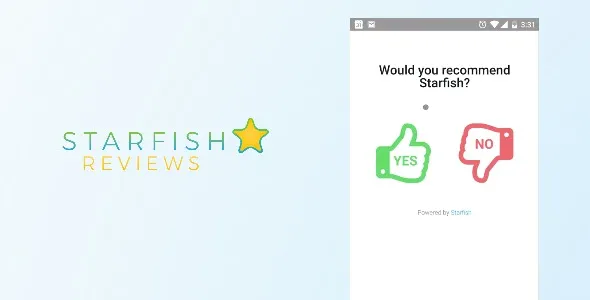
Starfish Reviews Premium is built for that specific gap. It gives you a controlled funnel where you can ask for feedback, route satisfied users to your public review profiles, and keep less-happy feedback private so you can fix issues before they become a one-star surprise.
I have deployed this on service sites where the team was already “asking for reviews” but results were inconsistent. The difference was not the wording. It was the system. When we tightened the trigger points and the destinations, review volume became predictable instead of hopeful.
At its core, Starfish Reviews Premium lets you publish a feedback form (often via a page, shortcode, or block), then route people based on sentiment. Positive responses get a clear next step to leave a public review. Negative or neutral responses can be captured as internal feedback.
What it does not magically do is generate reviews on platforms for you, or bypass platform policies. You are still relying on a human clicking through and posting. The plugin’s value is reducing friction and improving timing, not “automating” the review itself.
Where Premium matters is control. In practice, the paid features are what make it workable at scale: better customization, more flexible routing, and the ability to align the funnel with how your business actually collects feedback.
The most common failure I see is sending everyone to the same destination, regardless of context. A customer who loved a plumbing job might be happy to leave a Google review. A B2B client might respond better to a testimonial form first. Starfish Reviews Premium is useful because you can shape the path instead of hoping one link fits all.
Another break point is timing. Teams send a generic “please review us” email days later, after the emotional peak has passed. When we moved the request to the moment a customer said “thanks” in a follow-up sequence, conversion improved immediately.
Finally, many sites unintentionally create distrust by hiding the ask in a confusing page. If the page looks like a trap, users bounce. The best-performing setups I have seen are plain, fast, and explicit about what happens next.
Take a quick backup and confirm you can access wp-admin. If you are changing an existing review funnel, note your current review links and any pages that already contain shortcodes.
In WordPress, go to Plugins > Add New > Upload Plugin. Upload the Starfish Reviews Premium ZIP, install, then activate. If you are updating, do it during a low-traffic window so you can test the funnel end-to-end.
Go to Settings > Permalinks and click Save (no change needed) if your site has a history of rewrite issues. If you use caching, clear cache after activation. I have seen the routing page appear “stuck” until cache was cleared.
Create a dedicated page for the feedback form and keep it simple. Avoid heavy page builders on this specific page if you can. The goal is speed and clarity.
Set your external review URLs carefully. Test them in an incognito window and on mobile. A surprising number of “low conversion” cases were actually broken links or links opening inside an embedded browser that failed to load the review UI.
Submit a positive response, confirm you are routed correctly, then submit a negative response and confirm it stays private. Do this on desktop and mobile. If you only test in wp-admin preview, you will miss the real behavior.
If you are looking for Starfish Reviews Premium download access as part of your deployment workflow, treat it like any other production plugin. Keep the ZIP versioned, document the install date, and retest after theme or caching changes.
On local service sites, the highest leverage change is segmenting by job type or location. I typically create separate funnels for high-volume services (repairs, maintenance) versus high-ticket projects. The language and the destination differ.
We also avoid dumping users onto a generic “leave a review” page with three icons. Instead, we ask one clear question, then present one primary action. If you want multiple platforms, make the first one dominant and the others secondary.
For teams, I recommend tying the funnel link to a repeatable trigger. That might be an invoice email, a “job completed” SMS, or a post-purchase automation. The plugin works best when the business process is stable.
Once you have multiple locations or multiple practitioners, the routing logic becomes the whole game. If every technician shares the same review link, attribution gets muddy and internal buy-in drops.
When we rolled this out across a multi-location setup, we learned to keep a simple naming convention for funnels and pages. Otherwise, staff would copy the wrong link and send customers to the wrong destination. The plugin can support scale, but only if your internal process stays tidy.
Also pay attention to email deliverability and show rate. Starfish can only route people who land on the page. If your request emails are going to Promotions or your SMS links are being shortened inconsistently, you will misdiagnose the plugin as the problem.
There is a balance to strike. Routing unhappy customers to private feedback is useful, but the funnel should not feel like you are hiding criticism. If the copy is too leading, users notice.
I have seen better long-term results when the first step is framed as “tell us how we did” instead of “leave us a 5-star review.” Then, if they indicate a positive experience, the next step is a straightforward request to share it publicly.
Another trade-off is data. If you collect too much information in the private feedback path, completion rates drop. Keep it short. You can always follow up personally when you have contact details.
No. It routes users to your chosen review destinations. The customer still needs to complete the review on the external platform.
This is often caching or a page builder conflict. Clear all caches, test in an incognito window, and verify you are not serving an old version of the funnel page. Also confirm you did not duplicate a page with an old shortcode configuration.
Yes, and you should if attribution matters. The cleanest approach is separate funnels or separate pages per location, each with its own destination URLs and tracking.
It can, but plan the structure. Create language-specific pages and ensure each language version routes to the correct destinations. Test each language with caching enabled, since cached pages can accidentally mix languages.
Overcomplicating the first screen. If you add too many fields or too much explanation, completion drops. Keep the first question simple and make the next step obvious.
Often noted, but the value is the routing. A contact form does not nudge happy customers toward public reviews at the right moment. Starfish Reviews Premium is most useful when you want both outcomes in one controlled flow.
Take a backup, update during low traffic, then test the positive and negative paths on mobile and desktop. If you use aggressive caching or optimization, clear caches and recheck the redirect behavior.
Download the ZIP, store it with version notes, and document the pages and destinations that depend on it. Treat the funnel as a conversion asset that should be regression-tested after updates to themes, caching, or form-related plugins.
Geotoko is a trusted GPL website for WordPress themes, plugins, Shopify templates, and free giveaways. Download original, secure GPL files with lifetime updates.
All products on Geotoko are fully licensed under the GNU General Public License (GPL) and are independently reviewed for safety and quality.