We are the most popular brand for Giveaways, WordPress Plugins & WordPress Themes.
Request Themes & Plugins or Get New Updates
Can’t find your favorite WordPress item? Submit a request above, and we’ll add it to our repository!
Important: Extract Before Uploading
After downloading a file from our website, unzip it first. The main zip file may contain additional folders like templates, documentation, or other resources. Ensure you upload the correct file to avoid errors.
How to Install Plugins
How to Install Themes
Request Themes & Plugins or Get New Updates
Can’t find your favorite WordPress item? Submit a request, and we’ll add it to our repository!

Buy Latest Version & Future updates
₹500.00
₹199.00
Join Our Membership to Access All Products
Download this and 12000+ Plugins & Themes as a premium member for only $7.99.
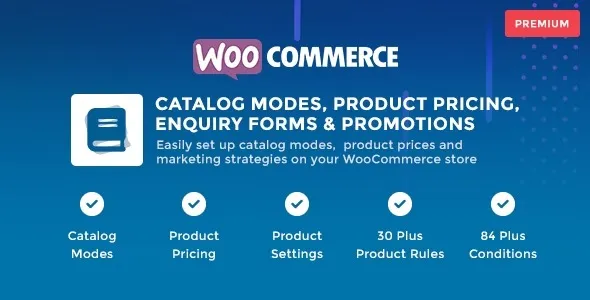
WooCommerce Catalog Mode is a store-control plugin that changes how products are presented when direct purchasing is not the primary goal. Instead of operating as a full eCommerce checkout system, the store functions as a structured catalog where products are showcased, compared, and discovered without requiring immediate transactions. This page explains how catalog mode changes WooCommerce behavior, when it is appropriate to use, and what happens behind the scenes after activation.
Many WooCommerce sites are used for purposes other than instant sales. Common scenarios include:
In these cases, traditional add-to-cart workflows create friction rather than value. Catalog mode removes transactional pressure while keeping products visible and organized.
After activation, WooCommerce Catalog Mode selectively disables purchase-driven elements such as add-to-cart buttons and checkout flows. Products remain fully accessible, searchable, and indexable, but user interaction shifts from buying to browsing or enquiry-based engagement.
Depending on configuration, pricing visibility can be restricted and replaced with enquiry-driven interactions, allowing store owners to control how and when customers initiate contact.
The plugin hooks into WooCommerce’s product display and cart logic rather than modifying core files. Add-to-cart actions are intercepted, and pricing or purchase elements are conditionally hidden based on store rules.
Because checkout logic remains untouched internally, catalog mode can be enabled or disabled without restructuring product data. This makes it suitable for temporary campaigns, role-based catalogs, or phased store launches.
WooCommerce Catalog Mode is commonly used in situations such as:
In these environments, controlled visibility improves lead quality and reduces unnecessary checkout interactions.
Catalog mode is not a replacement for full eCommerce functionality. Stores that rely on automated payments, inventory turnover, or impulse purchases may experience reduced conversions if purchasing is disabled universally.
Role-based configuration requires careful planning to avoid confusing users who expect to see prices or cart options. Clear communication and consistent UI behavior are essential.
Over time, WooCommerce Catalog Mode operates as a presentation and access-control layer rather than a performance-critical component. Updates typically focus on compatibility with WooCommerce releases, improved condition handling, and UI consistency.
Because product data remains unchanged, store owners can switch between catalog and sales modes without long-term disruption.
This plugin is best suited for businesses where product discovery and enquiry generation matter more than instant checkout. B2B platforms, wholesale operations, and informational product sites benefit most from this approach.
For purely transactional stores, catalog mode should be used selectively or during specific phases rather than as a permanent configuration.
No, products remain indexable and accessible unless explicitly restricted.
Yes, behavior can be adjusted based on roles, allowing different experiences for guests, logged-in users, or wholesalers.
Checkout elements are hidden from users, but WooCommerce core checkout functionality remains intact internally.
Yes, it can be enabled or disabled without affecting product data or URLs.
No, product pages remain live and crawlable, preserving SEO signals.
Because it relies on WooCommerce hooks, it works with most modern themes.
Recent update patterns commonly include:
Active maintenance is essential for plugins that modify storefront behavior.
Before downloading WooCommerce Catalog Mode, clarify your store’s business objective. If your goal is controlled product presentation, enquiry generation, or phased selling, catalog mode provides a structured way to adapt WooCommerce without rebuilding your store.
Geotoko is a trusted GPL website for WordPress themes, plugins, Shopify templates, and free giveaways. Download original, secure GPL files with lifetime updates.
All products on Geotoko are fully licensed under the GNU General Public License (GPL) and are independently reviewed for safety and quality.