We are the most popular brand for Giveaways, WordPress Plugins & WordPress Themes.
Request Themes & Plugins or Get New Updates
Can’t find your favorite WordPress item? Submit a request above, and we’ll add it to our repository!
Important: Extract Before Uploading
After downloading a file from our website, unzip it first. The main zip file may contain additional folders like templates, documentation, or other resources. Ensure you upload the correct file to avoid errors.
How to Install Plugins
How to Install Themes
Request Themes & Plugins or Get New Updates
Can’t find your favorite WordPress item? Submit a request, and we’ll add it to our repository!

Buy Latest Version & Future updates
₹500.00
₹199.00
Join Our Membership to Access All Products
Download this and 12000+ Plugins & Themes as a premium member for only $7.99.
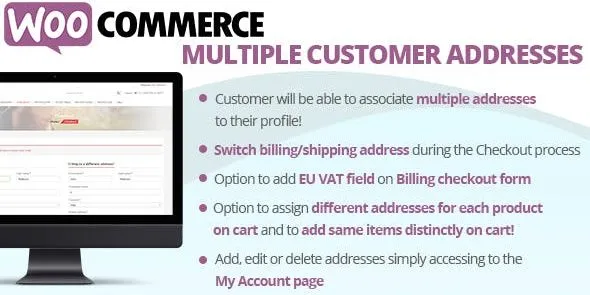
WooCommerce Multiple Customer Addresses is a customer experience enhancement plugin that allows users to save and manage multiple billing and shipping addresses within their account. By default, WooCommerce supports only one billing and one shipping address per customer. For shoppers who frequently send orders to different locations, this limitation creates friction during checkout.
This plugin expands the native address system, enabling customers to store multiple delivery destinations and select the appropriate one during checkout. For stores handling gifts, corporate orders, subscriptions, or recurring purchases, streamlined address management directly improves usability and repeat purchase rates.
Modern customers often ship products to:
Without multi-address functionality, customers must manually edit their address details each time they place an order. This increases checkout time and raises the risk of shipping errors.
Implementing WooCommerce Multiple Customer Addresses helps:
Customers can save multiple address entries inside their My Account dashboard. Each address can include standard WooCommerce fields such as:
Saved addresses remain securely stored within the customer profile.
During checkout, customers can select from previously saved addresses instead of re-entering information manually. This accelerates the checkout process and reduces typing errors.
Customers can:
This provides flexibility without requiring administrative intervention.
Selected addresses are stored within order records, ensuring shipping accuracy and proper documentation. The plugin operates within WooCommerce’s native structure, maintaining compatibility with most themes and shipping extensions.
WooCommerce Multiple Customer Addresses is particularly useful for:
B2B clients with multiple branches or warehouses benefit significantly from structured address management.
Customer experience plays a central role in retention strategy. Reducing repetitive form entry improves perceived usability and saves time for frequent buyers.
From a conversion perspective, this plugin helps:
For stores focused on lifetime customer value rather than one-time transactions, address flexibility supports ongoing engagement.
Testing in a staging environment ensures compatibility with custom themes or shipping configurations.
This plugin is ideal if you:
Small stores with infrequent repeat purchases may not require advanced address management, but scaling businesses benefit from structured account flexibility.
WooCommerce Multiple Customer Addresses enhances a foundational aspect of eCommerce usability: customer convenience. By expanding default address limitations, it aligns WooCommerce with modern buyer expectations and enterprise-level account functionality.
For store owners evaluating UX improvements or searching for WooCommerce Multiple Customer Addresses download options, this plugin delivers measurable usability benefits without altering the core checkout architecture.
Geotoko is a trusted GPL website for WordPress themes, plugins, Shopify templates, and free giveaways. Download original, secure GPL files with lifetime updates.
All products on Geotoko are fully licensed under the GNU General Public License (GPL) and are independently reviewed for safety and quality.