We are the most popular brand for Giveaways, WordPress Plugins & WordPress Themes.
Request Themes & Plugins or Get New Updates
Can’t find your favorite WordPress item? Submit a request above, and we’ll add it to our repository!
Important: Extract Before Uploading
After downloading a file from our website, unzip it first. The main zip file may contain additional folders like templates, documentation, or other resources. Ensure you upload the correct file to avoid errors.
How to Install Plugins
How to Install Themes
Request Themes & Plugins or Get New Updates
Can’t find your favorite WordPress item? Submit a request, and we’ll add it to our repository!

Buy Latest Version & Future updates
₹800.00
₹399.00
Join Our Membership to Access All Products
Download this and 12000+ Plugins & Themes as a premium member for only $7.99.
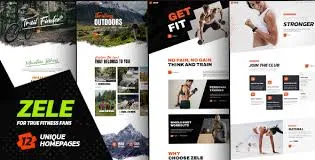
Zele Fitness & Sports WordPress Theme is built for a specific kind of site: gyms, personal trainers, studios, and sports clubs that need clear navigation and strong visual hierarchy without spending a week assembling templates. What I like about Zele is that it pushes you toward the pages people actually look for in this niche. Classes, trainers, schedules, programs, and membership style calls to action are treated as first-class content, not afterthoughts.
On a live build, the biggest win was speed to a presentable layout. We were able to get from a blank WordPress install to a coherent homepage and inner pages in an afternoon, then spend our time on content and conversions instead of fighting spacing and typography.
Zele is best thought of as a layout and presentation system for a fitness brand. It gives you prebuilt sections and page patterns that match how fitness businesses sell. Timetables, trainer bios, program highlights, pricing blocks, and testimonial layouts tend to be the core building blocks.
It does not automatically solve operational needs like booking logic, membership management, or recurring billing on its own. You can pair it with the tools you already use, but the theme’s job is to make those flows look intentional and on-brand.
If you are expecting a theme to replace a booking platform, that is where people overestimate what it does. Zele helps you present the offer clearly. The actual booking and payment rules still come from plugins or external services.
The first issue we ran into was “demo content gravity.” It is easy to leave placeholder sections in place because they look good. The site then feels polished but says very little. Our fix was to delete aggressively and rebuild only the sections tied to the business model: class types, schedule, and a single conversion action.
Second, image weight. Fitness themes often ship with large hero imagery, and teams tend to upload camera originals. On mobile, that can tank Core Web Vitals. We set a rule: convert hero images to modern formats, cap width, and avoid autoplay video in the first viewport unless the host is optimized.
Third, typography consistency. When you mix multiple block patterns and page templates, headings can drift. We standardized H2 and H3 styles in the Customizer and avoided per-block overrides. That kept the site maintainable when the client started editing content weekly.
You can build a fitness site with a generic multipurpose theme and a page builder, but you often end up inventing the same components repeatedly. Zele saves time because the niche patterns are already designed. That matters when you are launching quickly, or when a client wants “a gym site” and cannot articulate design requirements.
It is also a safer option than stacking a dozen design plugins. In my experience, the more visual add-ons you install to mimic a niche theme, the more you increase update risk and CSS conflicts. A focused theme reduces that surface area.
Fitness sites tend to expand in predictable ways: more trainers, more class types, seasonal programs, and a growing gallery. Zele can handle that, but you need a content plan so the site does not become a scroll marathon.
We had the best results by creating a simple hierarchy: one main “Classes” hub, individual class pages for search intent, and a schedule page that stays stable. That structure helps Google crawl efficiently because important pages are linked consistently, and you avoid thin near-duplicate pages for every time slot.
If you run multiple locations, be careful with repeating the same copy across location pages. It is tempting to clone layouts and only change the address. Instead, add location-specific FAQs, staff, and local class highlights so each page earns its own index value.
Install WordPress on a staging subdomain or local environment. Themes like Zele touch global styling, so testing on staging prevents surprises on a live gym site that is already taking leads.
When you download Zele Fitness & Sports WordPress Theme, you typically receive a ZIP that includes the theme and sometimes bundled companion plugins. Keep the original ZIP intact so you can re-upload it during troubleshooting.
In WordPress, go to Appearance, then Themes, then Add New, then Upload Theme. Upload the theme ZIP and activate it. If WordPress rejects the ZIP due to size limits, increase upload limits on the server or upload via SFTP.
After activation, install only the plugins the theme prompts you to use. Do not bulk-install extra “optimization” plugins yet. Confirm the site renders correctly first.
If you import demo data, treat it as a layout library. Import, then remove what you do not need. Leaving unused post types and pages is a common cause of crawl waste and confusing internal search.
Set typography, colors, header, footer, and your main navigation. Then build your core pages: Home, Classes, Trainers, Schedule, Contact. Only after that should you add galleries and long-form blog content.
Test mobile layout, forms, page speed, and 404s. If you are using WooCommerce for merch or memberships, verify cart and checkout styling before launch.
Zele usually provides the layout patterns and pages where a schedule can be presented. The underlying schedule logic varies by setup. If you need filtering, bookings, or capacity limits, plan to integrate a dedicated timetable or booking plugin and style it to match.
Start with the homepage hero, your primary call to action, and your class or program taxonomy. Then replace trainer images and bios. Those four areas are what visitors use to decide if the site is real and current.
It can, if you import everything and keep heavy sliders and uncompressed images. With careful image handling and by removing unused sections, we kept pages lightweight enough for good mobile performance.
Yes, but avoid cloning pages with identical content. Create a consistent template, then add unique location details such as staff, parking info, class emphasis, and local testimonials so each location page has distinct search value.
It can be, but it may be more theme than you need. If your site is one page with a form and a price list, a lightweight landing page setup might be simpler. Zele makes more sense when you have multiple service pages and ongoing content updates.
Overriding styles block by block. It looks fine at first, then becomes inconsistent and hard to maintain. We had better long-term results by setting global typography and spacing once, then keeping content edits mostly to text and images.
Zele is a good fit when you need a fitness-focused site that looks complete quickly, and you want a set of page patterns that match how gyms and trainers sell services. It also works well if you plan to publish content over time, since the structure supports a clear internal linking model.
I would not choose it if your project is primarily a web app style booking experience where the website is just a shell around a complex member portal. In that case, you will spend more time bending the theme to match the app than benefiting from the niche design.
If you are evaluating a Zele Fitness & Sports WordPress Theme download for a client build, test it on staging with your actual plugins first. That is where you find the real compatibility issues, not in a demo preview.
Geotoko is a trusted GPL website for WordPress themes, plugins, Shopify templates, and free giveaways. Download original, secure GPL files with lifetime updates.
All products on Geotoko are fully licensed under the GNU General Public License (GPL) and are independently reviewed for safety and quality.