We are the most popular brand for Giveaways, WordPress Plugins & WordPress Themes.
Request Themes & Plugins or Get New Updates
Can’t find your favorite WordPress item? Submit a request above, and we’ll add it to our repository!
Important: Extract Before Uploading
After downloading a file from our website, unzip it first. The main zip file may contain additional folders like templates, documentation, or other resources. Ensure you upload the correct file to avoid errors.
How to Install Plugins
How to Install Themes
Request Themes & Plugins or Get New Updates
Can’t find your favorite WordPress item? Submit a request, and we’ll add it to our repository!

Buy Latest Version & Future updates
₹500.00
₹199.00
Join Our Membership to Access All Products
Download this and 12000+ Plugins & Themes as a premium member for only $7.99.
On a lot of WooCommerce stores, the biggest conversion leak is not pricing. It is uncertainty. Customers want to ask “Can you do this in bulk?”, “Is there a lead time?”, “Can you invoice us?”, or “Can you bundle these items?” and the default WooCommerce flow gives them no good place to do it.
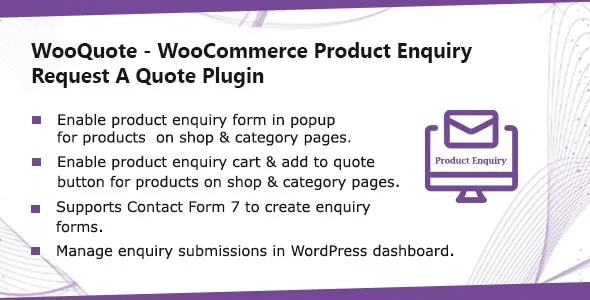
WooQuote – WooCommerce Product Enquiry & Request A Quote Plugin fills that gap by turning product interest into a structured enquiry or quote request, without forcing the customer into checkout. It is especially useful for B2B, wholesale, made-to-order, configurable products, and anything where price is contextual.
The plugin is not just a “contact form on product pages.” Used well, it creates a parallel buying path that captures intent, product context, and customer details in a way your team can respond to quickly.
In practice, you use it to:
Collect product-specific enquiries that include the exact product, variation, and quantity the shopper was looking at. That context is what stops the endless back-and-forth emails.
Offer quote-first purchasing for customers who cannot pay immediately or need approval. This is common with procurement teams and agencies.
Reduce abandoned carts when pricing, shipping, or availability is uncertain. Instead of losing the visitor, you capture a request you can follow up on.
Where people overestimate it is expecting it to replace a full B2B portal, tiered pricing engine, or contract-based checkout logic. WooQuote is the capture and workflow layer. You still decide how quotes are priced, approved, and converted into orders.
Before WooQuote, most stores hack this with a generic contact page, a live chat widget, or a “Call for price” message. Those tools can work, but they are not tied to the product and they rarely capture the details you need.
After implementing WooQuote on a client catalogue with lots of variations, we stopped getting vague messages like “How much is the blue one?” because the enquiry included the selected attributes. That alone saved time for support and reduced response latency, which matters more than people think.
It also changes how you think about product pages. You can keep the product content indexable and helpful, while offering a quote option for visitors who are not ready to buy. That is a cleaner UX than hiding prices or disabling purchase globally.
The most common mistake is enabling quote requests everywhere without a rule. If every product has “Add to cart” and “Request a quote” competing for attention, the store often sees fewer purchases, not more. We had better results when quote requests were limited to specific categories, high-ticket items, or products with known lead-time variability.
Another issue is form sprawl. Teams keep adding fields to “pre-qualify” leads and end up with a form that feels like a loan application. Enquiry forms should capture only what changes the quote. Quantity, delivery location, timeframe, and a free-text note are usually enough.
Spam control is also easy to forget. If you enable enquiries publicly, you need a plan for abuse. In one case, a store’s inbox got flooded after a bot discovered the endpoint. The fix was not glamorous. We tightened validation, added anti-spam measures, and ensured email deliverability was properly configured.
WooQuote scales better when you treat it like a workflow, not a widget. On stores with hundreds or thousands of products, the difference between “enquiries arrive somewhere” and “enquiries are routed correctly” is huge.
If your team has multiple reps, think about who receives which requests, how quickly they respond, and how you track outcomes. Even if you are not integrating with a CRM, you can still standardize response templates and internal tagging so enquiries do not get lost.
One operational detail we learned the hard way is to align quote requests with your product taxonomy. If categories are messy or inconsistent, it becomes harder to decide where quote-only behavior should apply and who should handle those requests.
WooCommerce out of the box is built for immediate purchase. You can add a contact form plugin, but that typically creates a generic message with no product context. You can also disable pricing and force enquiries, but that is a blunt instrument and often hurts SEO and trust.
WooQuote sits in the middle. You keep normal product pages, keep content crawlable, and add an intent capture path that remains tied to the product the user was evaluating.
If you already run a full B2B suite with account-based pricing, quote management, and approval flows, you may not need WooQuote. But for many stores, that is overkill. This plugin is often the pragmatic step that gets you 80 percent of the benefit with less operational complexity.
If you are looking for the WooQuote – WooCommerce Product Enquiry & Request A Quote Plugin download, treat it like any production-critical WooCommerce extension. A sloppy install can cause template overrides, email issues, or conflicts with caching and minification.
Update WooCommerce and WordPress to stable versions first. If your store is behind by multiple major releases, fix that before adding a quoting layer.
Do the first install on staging. Quote plugins touch product pages and email sending, so you want a safe place to test variations, AJAX add-to-quote behavior, and form submission.
Install the plugin via the WordPress plugin uploader or your normal deployment process. Activate it and check that no fatal errors appear in your PHP logs.
Decide if it should show globally, by category, or only on specific products. Start narrow. You can expand later once you see how customers use it.
Test simple products, variable products, and any custom product types you use. Make sure the selected variation is preserved in the enquiry. This is where theme and plugin conflicts show up.
Send test enquiries to multiple mailboxes. Confirm the email includes product details and that replies go to a monitored address. If emails land in spam, fix SMTP before going live.
If you use page caching or JS optimization, test the quote button and form submission while logged out. I have seen “works for admins, fails for customers” issues caused by deferred scripts.
Yes, and that is often the best setup. Use quotes for products where customers need clarification, while keeping direct purchase for straightforward items. The key is placement and messaging so you do not split attention unnecessarily.
It can, but you should test carefully. The make-or-break detail is whether the enquiry captures the chosen attributes and variation ID. If your theme heavily customizes variation selectors, validate that the selected options carry through.
In most builds, the impact is small, but it depends on how the enquiry form is loaded and whether your site is already script-heavy. After installation, run a quick before-and-after test on a few key product pages and watch for added JS errors.
Keep the form short, add basic anti-spam protections, and avoid exposing unnecessary endpoints. Also make sure your confirmation messages do not reveal too much about how the form processes submissions.
Yes, particularly if you need a quote-first path. Just be realistic about the rest of the B2B stack. If you require account approvals, customer-specific pricing, and purchase order workflows, you may still need additional tooling.
Test on mobile, test logged out, and test at least one product from each major category. Submit enquiries with variations, with and without quantities, and confirm emails arrive with the right product context. Then check your analytics or event tracking so you can measure usage over time.
WooQuote is a strong fit when your sales process includes negotiation, bulk pricing, custom fulfillment, or human approval. It is also a practical way to capture leads from high-intent product pages without forcing checkout.
If every product has a clear price, instant shipping, and a simple purchase decision, you might not need a quote layer. In those cases, improving product content, shipping clarity, and checkout UX usually delivers more value than adding another decision point.
But if you are already answering the same pre-sales questions repeatedly, this plugin can turn that repetitive support load into a structured pipeline you can actually manage.
Geotoko is a trusted GPL website for WordPress themes, plugins, Shopify templates, and free giveaways. Download original, secure GPL files with lifetime updates.
All products on Geotoko are fully licensed under the GNU General Public License (GPL) and are independently reviewed for safety and quality.